Life and documentation cycle#
The life and documentation cycle in i-doit represents the stage an IT component is in -- and the state the documentation itself is in.
IT components go through a life cycle: they are planned, procured, operated and eventually decommissioned. i-doit makes this cycle traceable. At the same time, you can also archive and delete the documentation itself.
Life cycle of IT components#
The life cycle of an IT component is documented in the CMDB status. With a fresh installation of i-doit, the following CMDB statuses are available:
- Planned
- Ordered
- Delivered
- Assembled
- Tested
- In operation (not editable)
- Defective
- Out of operation (not editable)
- In repair
- Delivered from repair
- Stored
- Scrapped
- i-doit Status (not editable)
- Template (not editable)
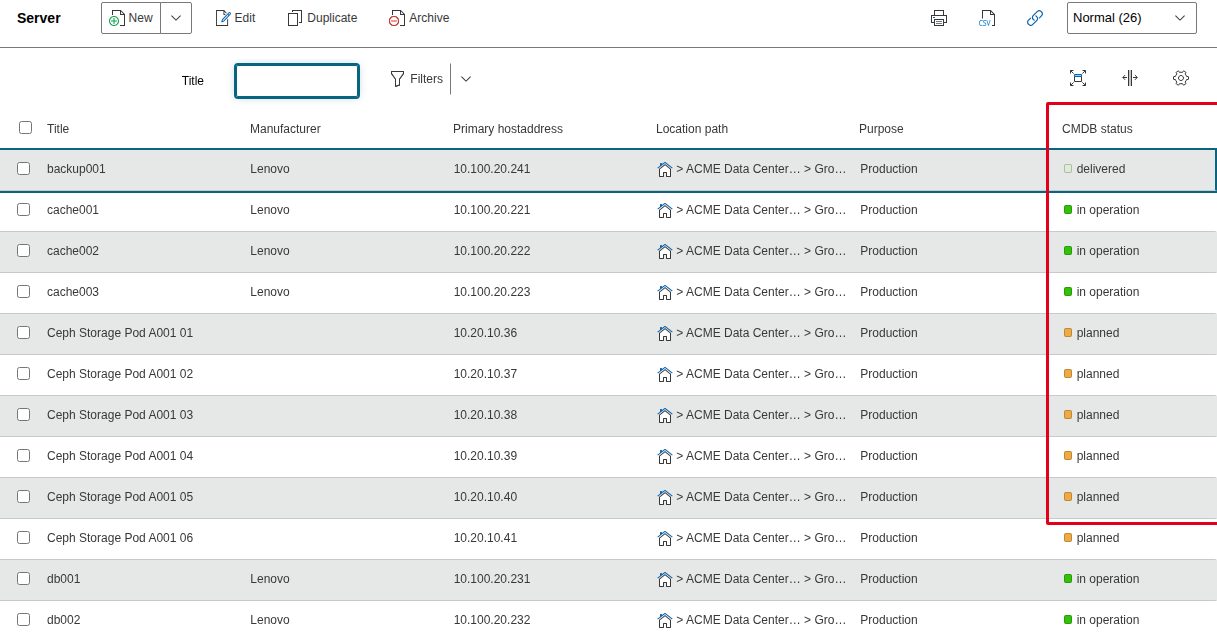
The CMDB status can be displayed as a column in the object lists to quickly look up the target state of a documented object.
Planning
By mapping the life cycle, it is possible to use i-doit for planning. Whether a procurement, a major update or a relocation is pending -- the IT documentation is always included and provides valid information.
Specifying CMDB status per object#
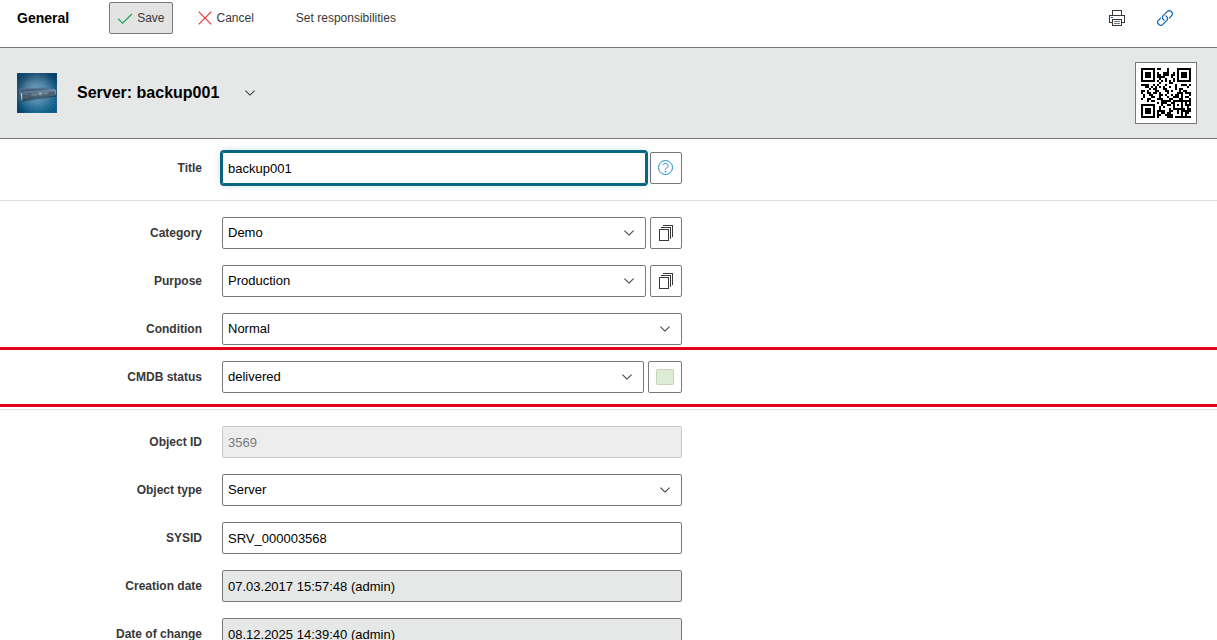
To map the entire life cycle of an object, the attribute CMDB status in the category General is used per object. When a new object is created, it receives In operation as its CMDB status, unless something else is explicitly specified.
Managing CMDB status#
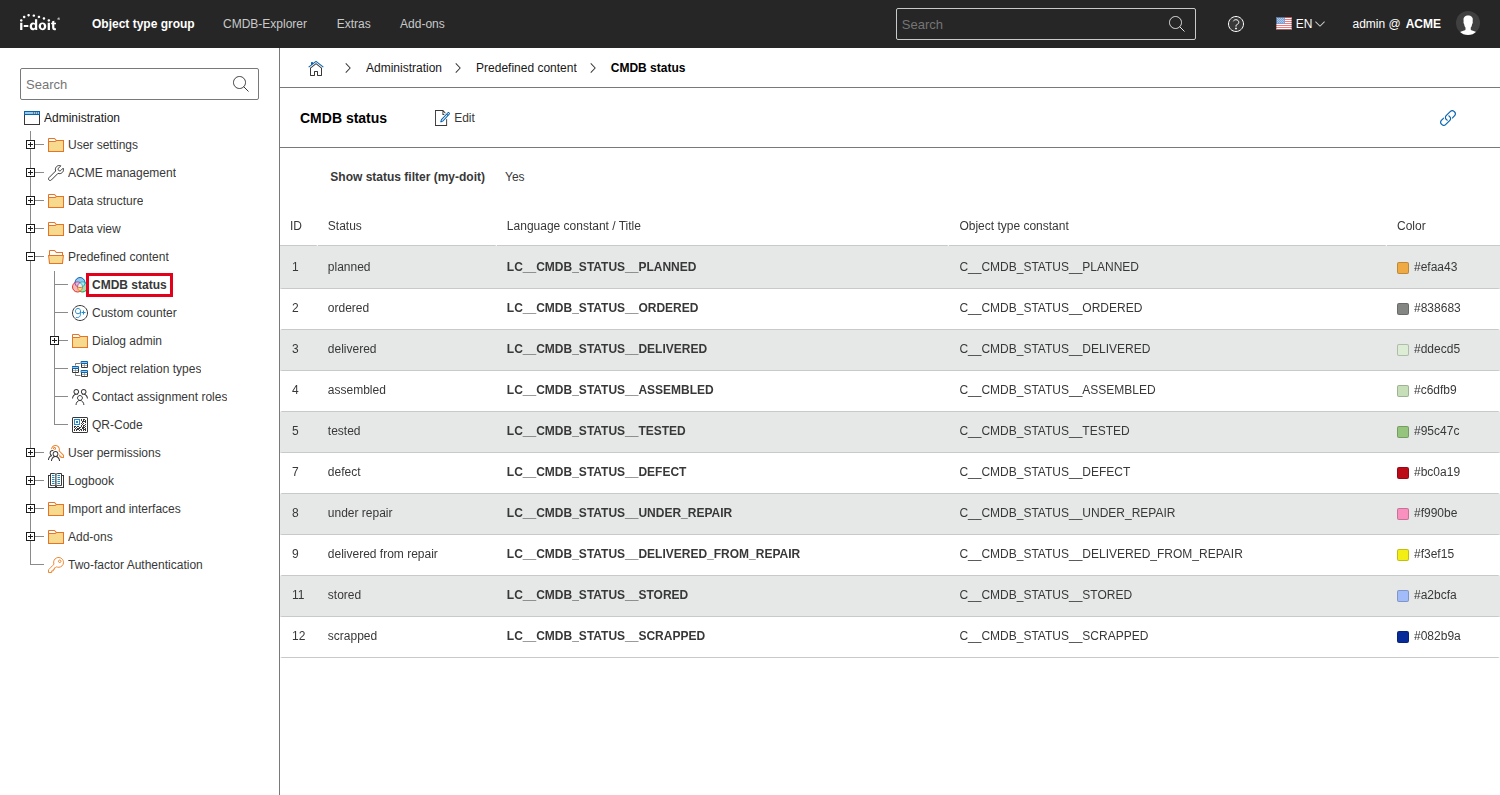
Adding, changing or deleting a CMDB status is done via Administration → Predefined content → CMDB status. The following information is required per CMDB status:
- Unique name or language constant (for translation)
- Unique constant (helpful for example when using the API)
- Color (used in object lists, the General category, in the CMDB Explorer and in many other places)
Life cycle of IT documentation#
In addition to the objects being documented, the documentation itself can be subject to a life cycle. If a documentation artifact is no longer needed, it can be archived. Likewise, an artifact can be marked as deleted so that a person responsible for the IT documentation can irrevocably delete it via Purge.
Deletion process
For larger environments, it is worthwhile to establish the necessary processes for archiving and deleting documentation artifacts. When should archiving occur? Who may clean up the IT documentation? Such questions should definitely be clarified within the team. To grant only certain users or user groups the right to archive or irrevocably delete, the permission system of i-doit provides the necessary settings.
Conditions#
Virtually all documentation artifacts (objects, category entries, values in Dialog+ fields and more) receive a condition:
- Normal:
During regular work (creating, editing), every artifact receives this condition and can be used everywhere. - Archived:
The artifact is hidden from the IT documentation. Further use, for example links, is no longer possible. - Deleted:
The artifact is to be irrevocably deleted (Purge), but still fully exists with all relationships in the IT documentation. Otherwise, this condition is the same as Archived.
The cycle provides that every documentation artifact receives the condition Normal. Later follows Archived, then Deleted. A restoration to the previous condition is possible at any time.
In addition to these three conditions, there are special cases for objects:
- Incomplete:
If a new object is created but not saved, it receives this condition. This happens, for example, when an object is created but the Save button is not clicked. These objects can only be found via a report and then used further. Therefore, they should be regularly deleted. This can be done via Administration → [Tenant name] Administration → System repair and cleanup → Remove incomplete objects. Alternatively, this can also happen automatically. More on this further down in this article. - Template:
An object can serve as a template for further objects. - Change template:
An object can serve as a change template for mass changes.
If a documentation artifact is to be irrevocably deleted, the Purge function follows after marking as Deleted. However, this is not a condition, because all data (including the previous condition and any logbook entries) is lost, so it can no longer be traced that this object ever existed. This function should therefore be used with caution.
Archiving, marking as deleted or irrevocably deleting (purge) objects#
You can see the condition of an object in the General category. To change the condition of one or more objects:
- Open the object list.
- Check the checkboxes of the desired objects.
- Click Archive, Delete or Purge.
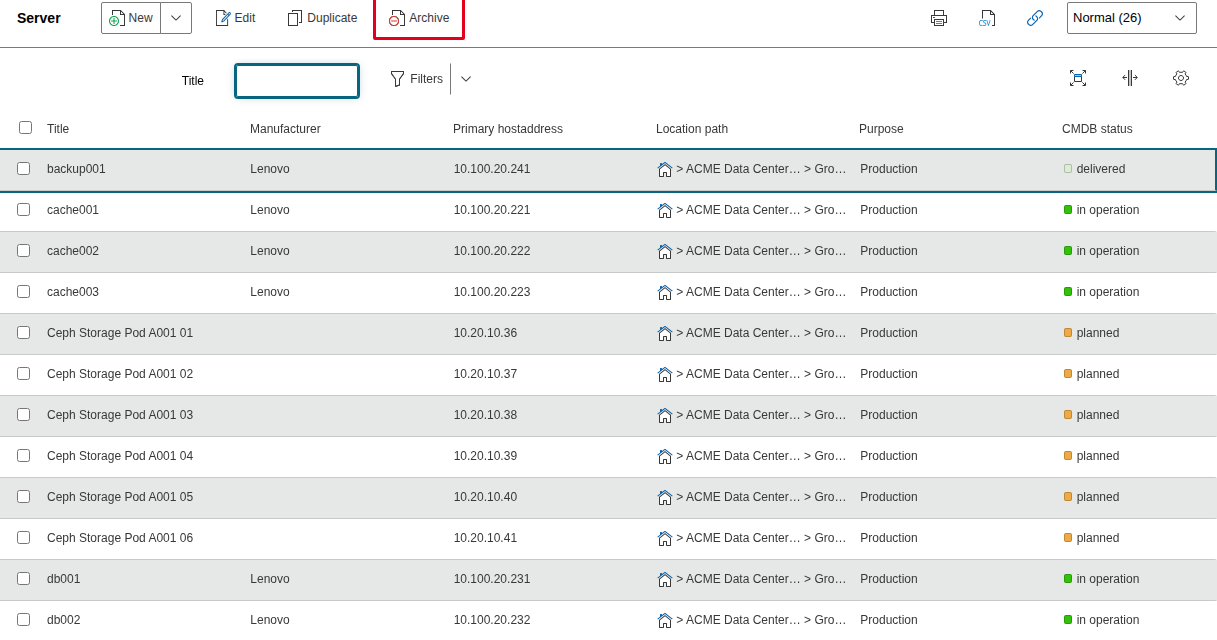
You can only change to the next possible condition. An object with the status Normal can only be archived from the list. To delete, filter for archived objects in the upper right corner and then change to the Deleted condition. With Restore you can return to the previous condition at any time.
When irrevocably deleting (Purge), there is no confirmation prompt -- unless relationships to other objects exist.
Archiving, marking as deleted or irrevocably deleting (purge) category entries#
A similar functionality as for objects exists for some list categories ("multi-value"). Through this, category entries can be archived, marked as deleted and purged.
Simplified deletion (Quickpurge)#
Normally you must first archive a documentation artifact and then mark it as deleted before you can irrevocably delete it. To shorten this cycle, activate the Quickpurge button under Administration → [Tenant name] Administration → CMDB → Enable Quickpurge button. This allows you to immediately and irrevocably delete an object or category entry regardless of the current condition.
Listing all archived or deleted objects#
To list all archived or deleted objects, it is best to create a report via the query editor.
Bulk deletion (purge) of incomplete/archived/deleted objects or category entries#
Almost always, incomplete objects are unwanted, because they are not visible and therefore cannot be edited. But archived or deleted objects are also often unwanted. The same applies to category entries. Therefore, it makes sense to permanently delete (Purge) these unwanted documentation artifacts. Two methods exist for this: manual or automatic deletion.
Manual deletion#
You delete these artifacts via the Web GUI under Administration → [Tenant name] Administration → System repair and cleanup → Objects or Categories. After clicking one of the offered buttons, i-doit shows you the number of objects or category entries to be deleted. After deletion, a statistic with the number of deleted entries appears at the bottom of the page.
Automatic deletion#
The i-doit console utility also offers you the option to irrevocably delete unwanted objects. Additional options are shown by the --help option.
1 | |
The automation consists of regularly executing the call via a cronjob.
Condition changes in the logbook#
Condition changes are fully recorded in the logbook. Only when an object or category entry is irrevocably deleted (Purge) are all associated logbook entries also permanently deleted.