Logbook#
Every change to the IT documentation is recorded by i-doit in a logbook. This way, the life cycle of the IT documentation can be easily traced.
Global logbook#
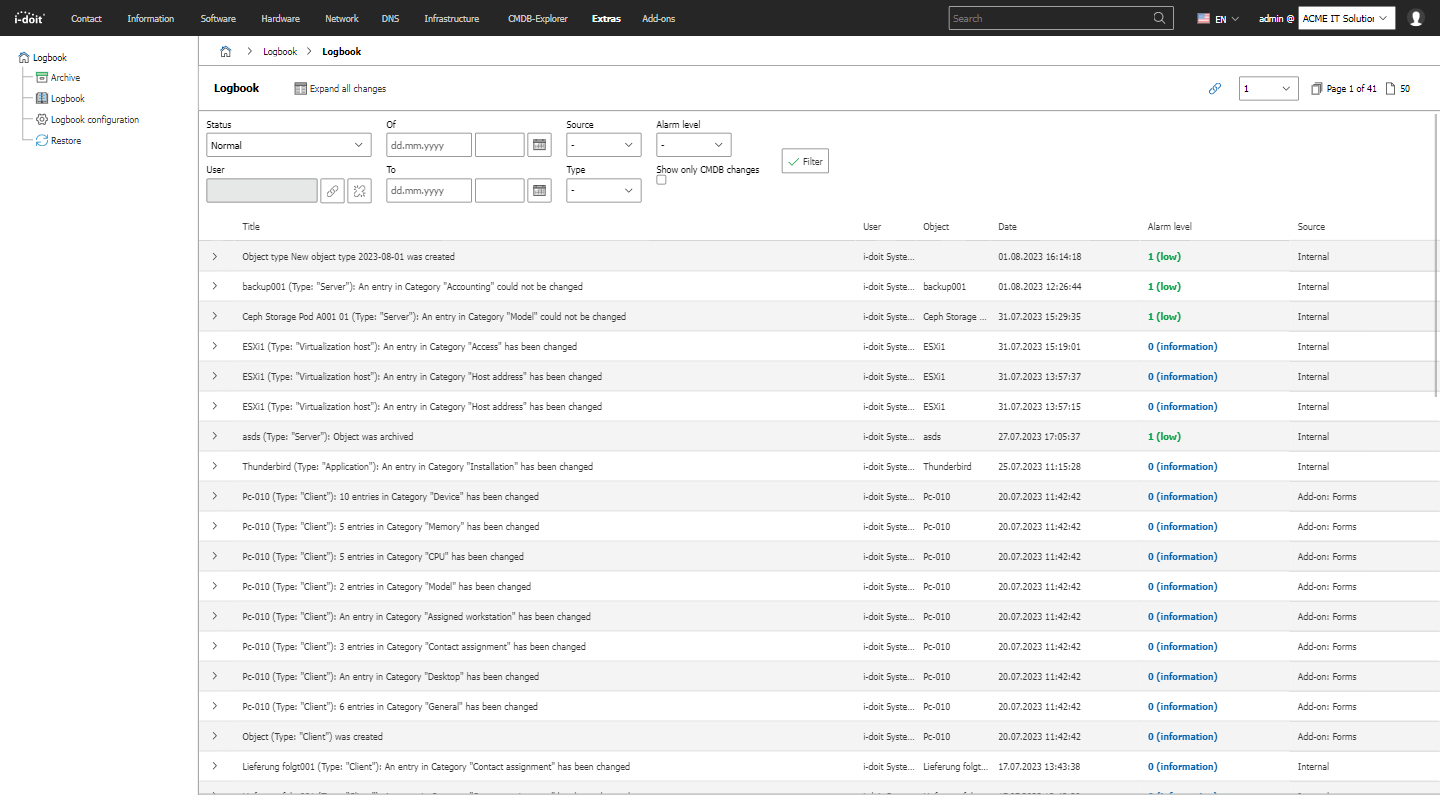
The logbook, which captures all changes, is located under Extras → CMDB → Logbook → Logbook list view. Entries can be filtered there by various parameters. Where possible, an entry also contains the exact changes (Which value was changed from what to what?).
The last change can be traced at the bottom of every page.

Logbook per object#
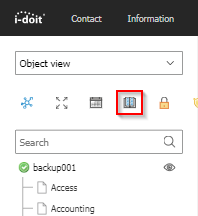
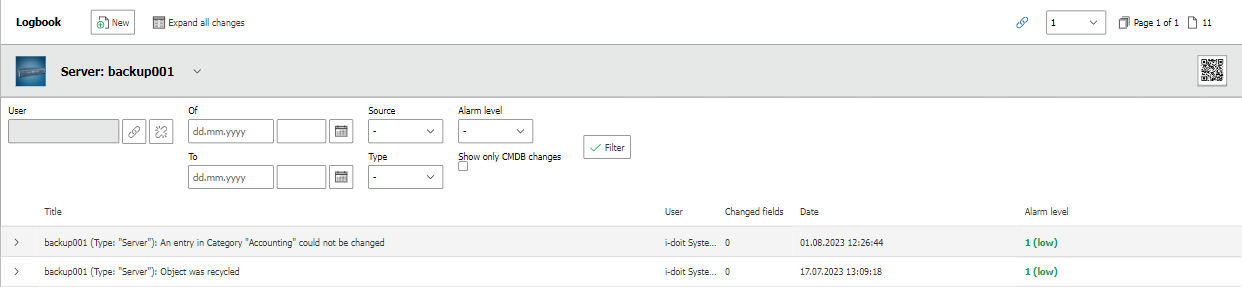
You can also display the logbook restricted to a single object. The category Logbook is permanently assigned to every object type. In the Object view you can access the logbook via the book icon above the category tree.
The filter functions and the level of detail correspond to those of the global logbook.
Logbook per service#
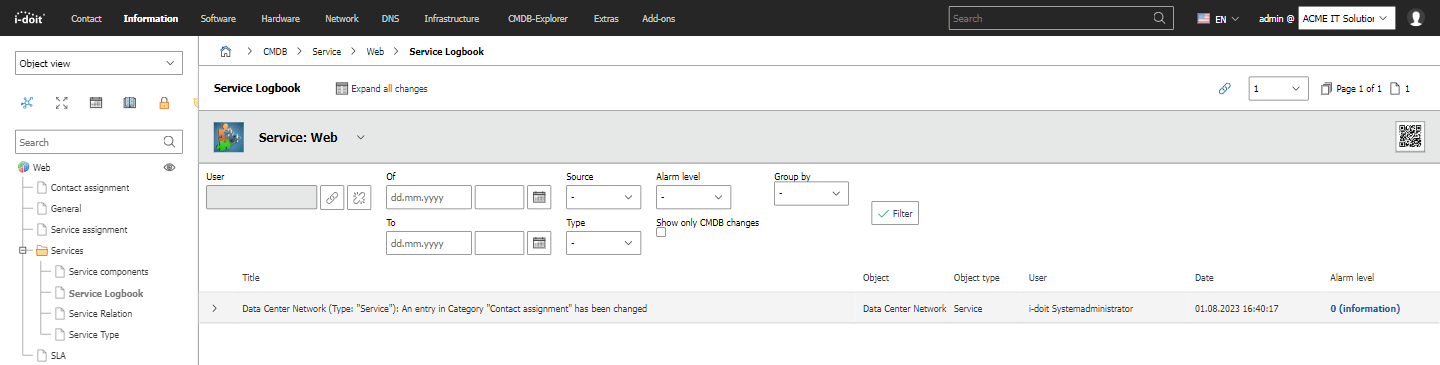
For every service modeled in i-doit, a logbook exists that contains the changes to all service components (or sub-services). The category is called Service Logbook and can be added to those object types that represent services via the Service category.
Configuring the logbook#
You can find the logbook configuration under Extras → CMDB → Logbook → Logbook configuration.
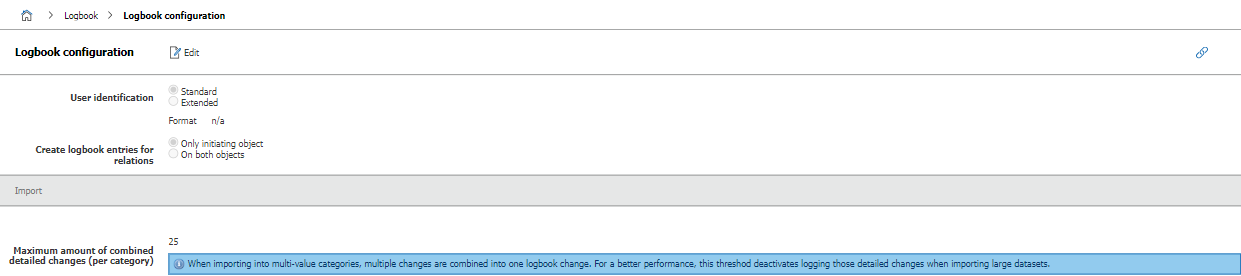
Changes do not affect already existing entries.
In the configuration, you can change the User identification that is stored with each entry. By default, i-doit uses the object title of the person object, usually consisting of first and last name.
Anonymization
If the User identification is changed to a fixed value, for example "Anonymous", the logbook is anonymized. It is then no longer possible to trace who made which changes.
The Maximum number of combined changes setting causes simultaneous changes to be consolidated. The level of detail decreases as a result, but performance during imports is increased.
Completely delete logbook entries for purged objects#
You can find this setting under Administration → [Tenant name] Administration → Settings for [Tenant name] → Logbook → Completely delete logbook entries for purged objects.
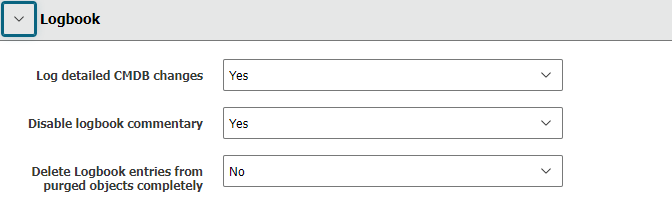
By default, this option is set to No. If you set it to Yes, i-doit also completely deletes the logbook entries after purging an object.
Log detailed CMDB changes#
Under Administration → [Tenant name] Administration → Settings for [Tenant name] → Logbook → Log detailed CMDB changes, details for logbook entries can be disabled. It is then no longer recorded which change was made to which attribute.
Custom entries#
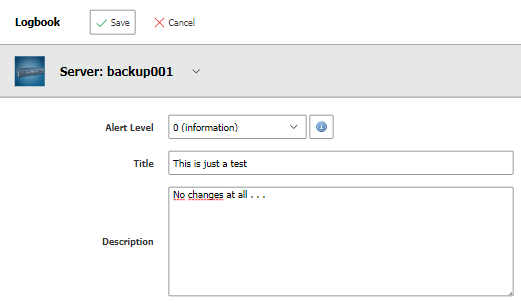
You can manually create a new logbook entry for any object:
- Open the Logbook category within the object (see above).
- Click the New button.
- Fill in the fields Alert Level, Message and Description.
- Click Save.
Entries from third-party systems#
The logbook accepts new entries from third-party systems, for example through imports, service desks, network monitoring and the API.
Archiving and restoring older entries#
Under Extras → CMDB → Logbook → Archive, you configure whether and from what age (in days) entries are archived. This function helps you when the logbook has become very large and evaluation is hindered by long wait times. i-doit moves archived entries to a separate database table -- either in the respective tenant database or on a third database instance.
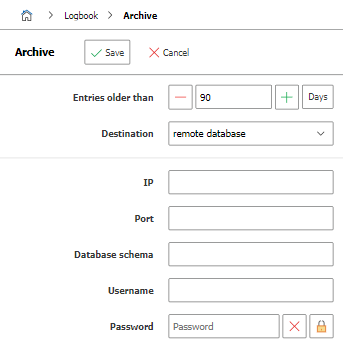
The archiving is performed via the i-doit console utility. You can also automate this step. Additional options are shown by the --help command.
Example:
1 | |
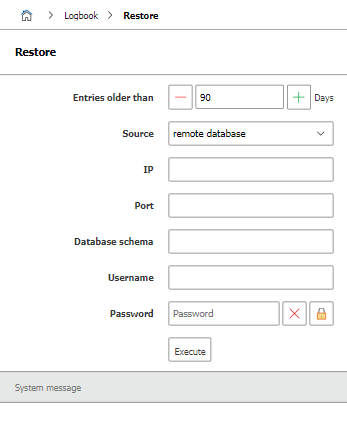
Archived entries can be restored for further evaluation. This function is located under Extras → CMDB → Logbook → Restore.
Creation and modification date#
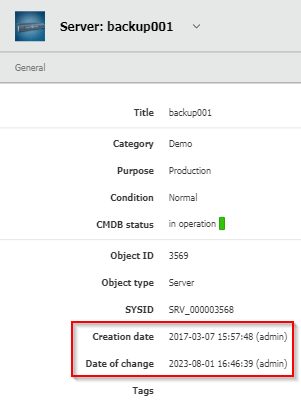
Any change to objects creating, editing, archiving, deleting, restoring not only creates an entry in the logbook, but also updates the attributes Creation date and Modification date in the General category, which is permanently assigned to every object type.
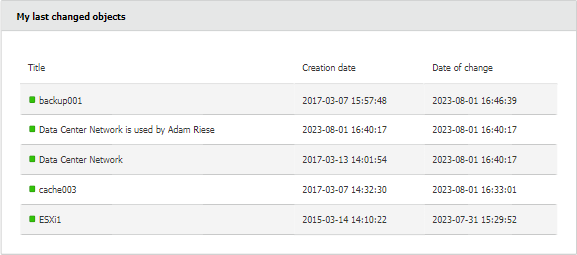
On the dashboard, the My recently modified objects widget can be added, which displays the user's own recent changes to objects.
Setting permissions#
Via the permission system of i-doit, you determine which persons or person groups have read access to the logbook. This way you can ensure, for example, that only i-doit administrators can trace changes.