JDisc Discovery
Since version 36, there is the JDisc Connector Add-on
JDisc Discovery is a discovery tool for automated network inventory. It detects hardware, operating systems, software, networks, virtualization, and cluster environments. A practical example can be found on our Blog.
Goal of the JDisc Integration in i-doit#
The integration of JDisc Discovery in i-doit aims to combine the strengths of both systems:
- Automated Data Collection: Using JDisc's powerful scan functions for automated collection of current and detailed inventory data.
- Centralized Data Management: Implementing this data into the i-doit CMDB to create a central, consistent, and up-to-date data source ("Single Source of Truth") for all IT assets.
- Reducing Manual Effort: Minimizing manual data entry and maintenance, saving time and reducing error-proneness.
- Improved Data Quality: Ensuring high data quality in the CMDB through regular, automated updates from JDisc.
- Informed Decisions: Providing a solid data foundation for IT management tasks such as change management, license management, problem management, and strategic planning.
Installation#
JDisc Discovery is installed on Microsoft Windows (ideally as a server edition). During setup:
- Passwords for the PostgreSQL database are set:
postgres: Admin accesspostgresro: Read-only access (required for i-doit)- It must be specified that the PostgreSQL server is externally reachable (port
25321). - It must be ensured that the Windows firewall allows the port.
Additional links:
Interface Configuration in i-doit#
Path: Administration > Import & Interfaces > JDISC > Configuration
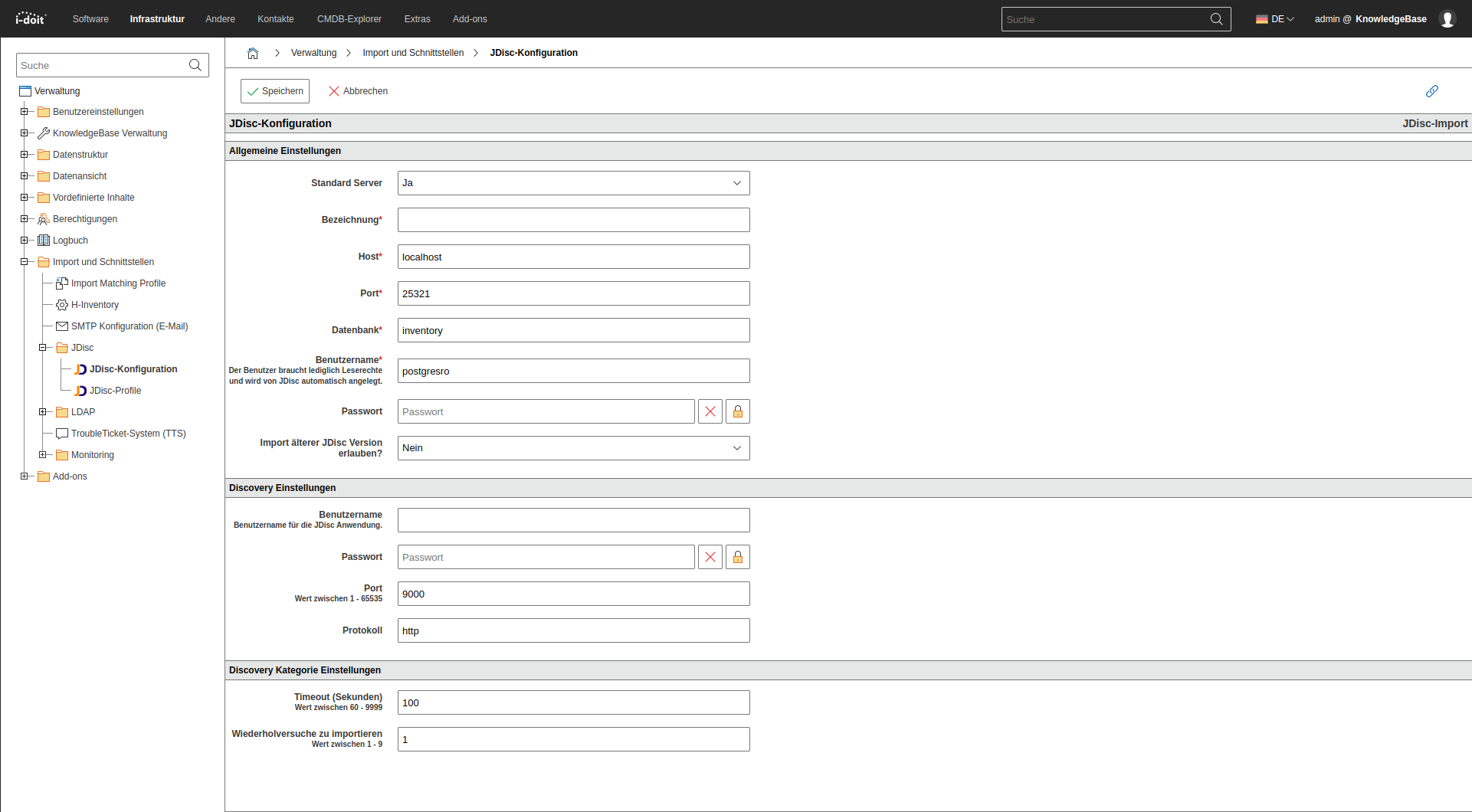
General Settings#
| Parameter | Description |
|---|---|
| Default Server | Pre-selected during manual import. |
| Designation | Internal name of the connection. |
| Host | IP address or DNS name of the JDisc instance. |
| Port | PostgreSQL port of the JDisc database (25321 by default). |
| Database | Default: inventory. |
| Username | e.g., postgresro. Only read access required. |
| Password | Password associated with the user. |
| Allow import of older versions | Only relevant for older JDisc versions. |
Use Connection Check to test reachability.
Additional archiving options: Path: Administration > [Tenant Name] Administration > Settings > JDisc
| Parameter | Description |
|---|---|
| Threshold | Objects that have not been scanned for more than X days are archived. |
| Unit | Days, weeks, or months. |
Discovery Settings (WebService / GraphQL)#
JDisc can be remotely controlled via WebService or GraphQL, e.g., to trigger scans.
| Parameter | Description |
|---|---|
| Username | User for the WebService/GraphQL access. |
| Password | Password of the user. |
| Port | Default: 9000 (SOAP), 443 (GraphQL). |
| Protocol | http (SOAP), https (GraphQL). |
Note on GraphQL Integration
Starting with i-doit version 22, the modern GraphQL API is recommended. Advantages: - Encrypted communication via HTTPS
Defining JDisc Profiles#
Path: Administration > Import & Interfaces > JDISC > Profiles
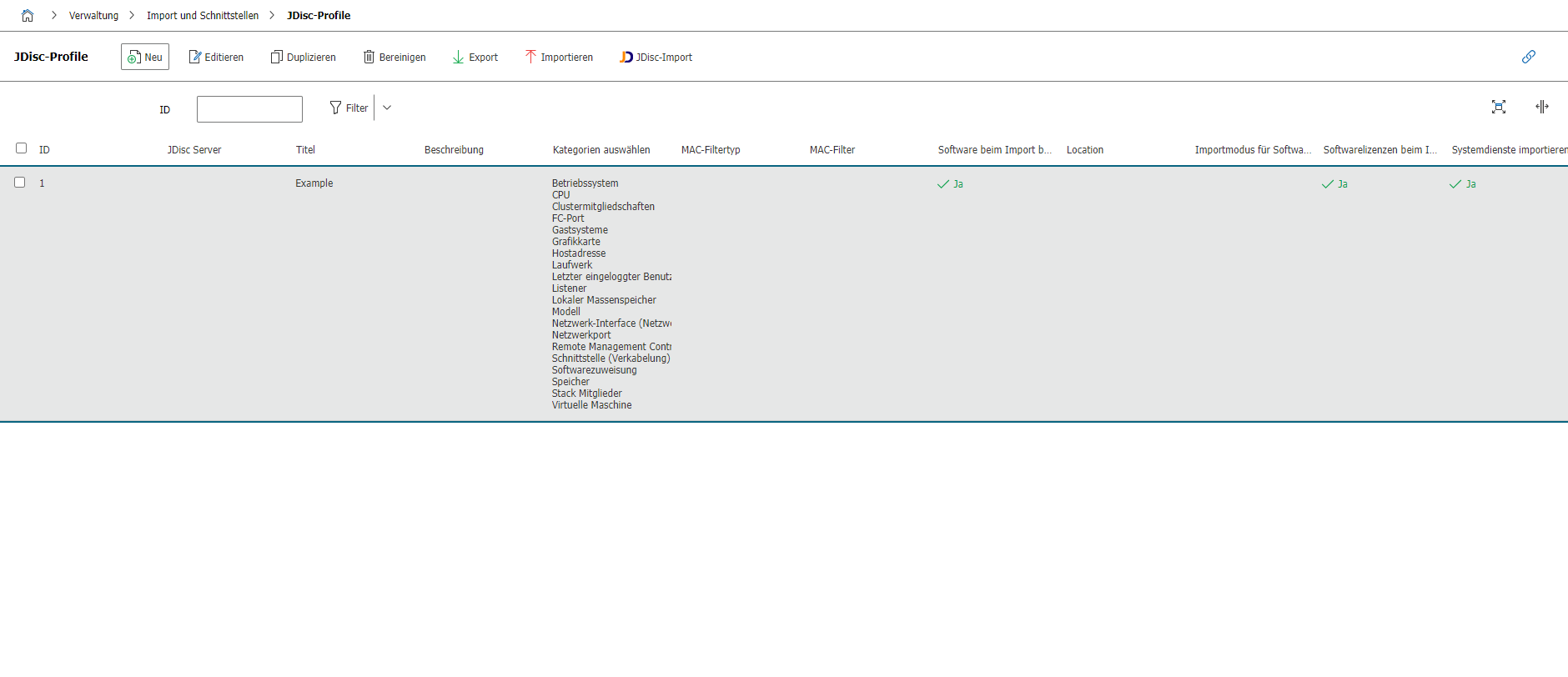
A profile defines how JDisc data is assigned to object types and categories in i-doit.
Settings#
| Field | Description |
|---|---|
| JDisc Server | Assigned instance for the profile. |
| Title | Name of the profile. |
| Description | Free text for documentation. |
The included profile Example can be used as a template.
Import from the Web GUI#
Path: Extras > Import > JDisc
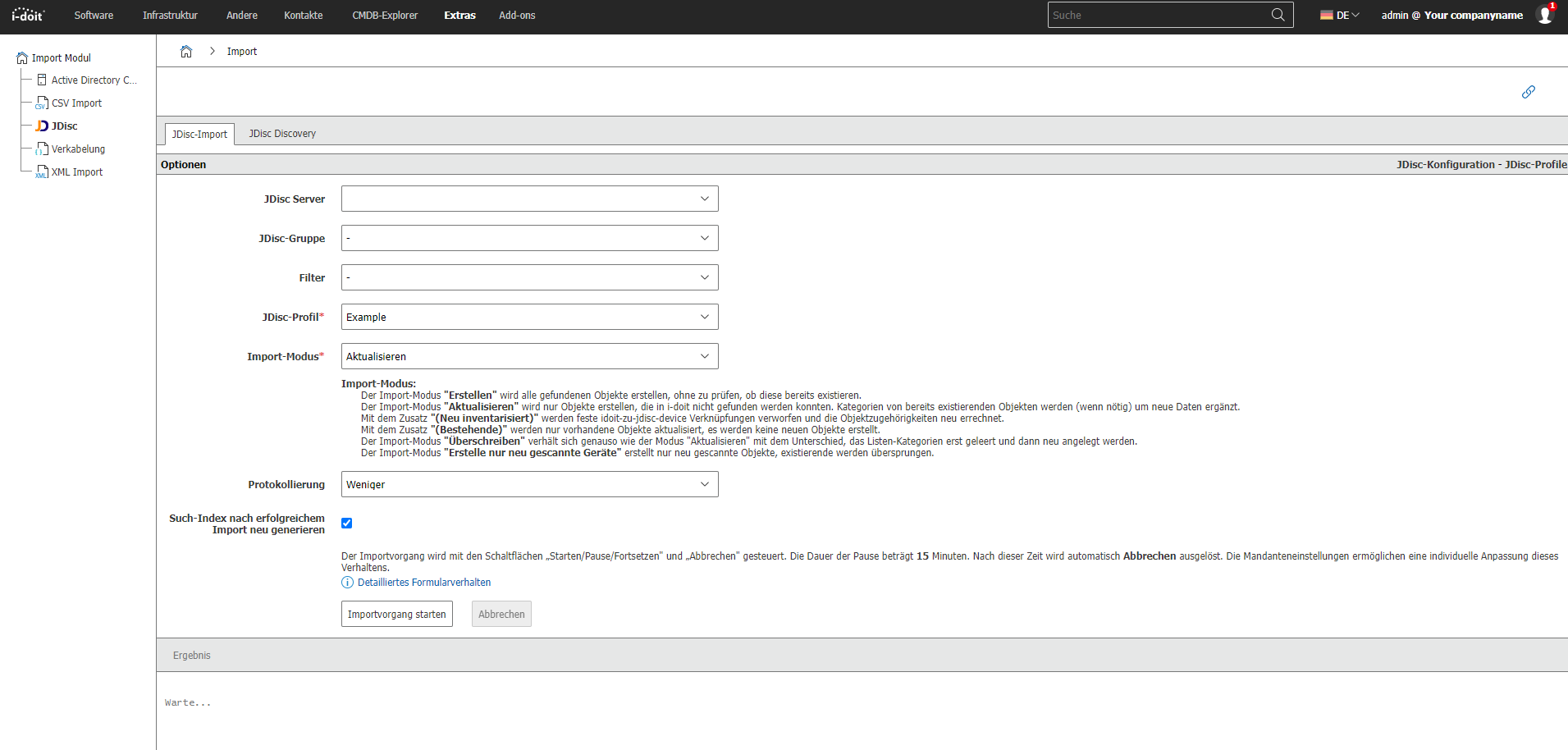
Import Modes#
| Mode | Behavior |
|---|---|
| Update | Creates new objects and updates existing ones. |
| Update (Newly Inventoried) | Resets links and reassigns them. |
| Update (Existing) | Only updates already existing objects. |
| Create | Creates all detected objects as new. |
| Create only newly scanned | Only imports objects that were newly detected in the current scan. |
| Overwrite | Completely re-imports objects; clears existing list categories. |
Pausing the Import#
The GUI allows:
- Pause: Interrupt the process.
- Resume: Continue the import.
- Cancel: Immediate stop; already imported objects are retained.
These options are configurable under: Administration > [Tenant Name] Administration > Settings > JDisc
Category: JDisc Discovery (Objects)#
Objects can be individually updated with JDisc data. Prerequisite: serial number, hostname, or FQDN is known.
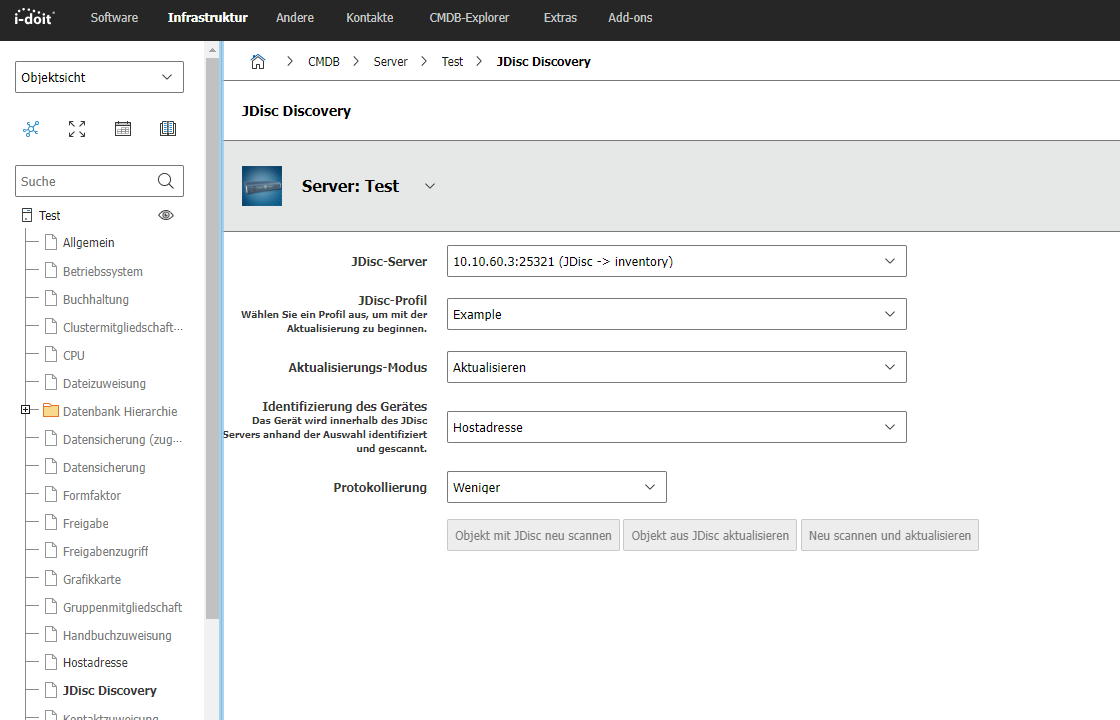
GraphQL required
The serial number is only displayed when the connection is made via GraphQL.
Automated Import via Console#
Example call from the i-doit directory:
1 | |
Example jdisc.ini:
1 2 3 4 5 6 7 8 9 10 | |
Details on configuration: Using INI files
Report Views#
JDisc Availability#
This report compares i-doit objects with JDisc objects.
Delete JDisc Devices#
This report allows removing archived and deleted i-doit devices directly from JDisc.
Caution: JDisc objects will be deleted
This report deletes objects directly in JDisc. Please create a backup/snapshot beforehand.
Only usable with GraphQL
The delete function works exclusively with an active GraphQL connection.
FAQ#
If the import exceeds the default memory_limit of 2G, the following value can be set in the Expert Settings:
1 | |
Additional information on matching profiles, category mapping, and advanced options can be found in the following articles. These are linked or extended as needed.