Events#
With the Events add-on, you automate actions when changes are made to your IT documentation. When something is changed in i-doit, you can automatically notify third-party systems. For example, if you document a new VM, it can be automatically created and provisioned on a virtualization host.
You can find a practical example on our Blog
Assigning rights#
Under Administration → Permissions → Events, permissions for persons and person groups can be adjusted.

Configuration#
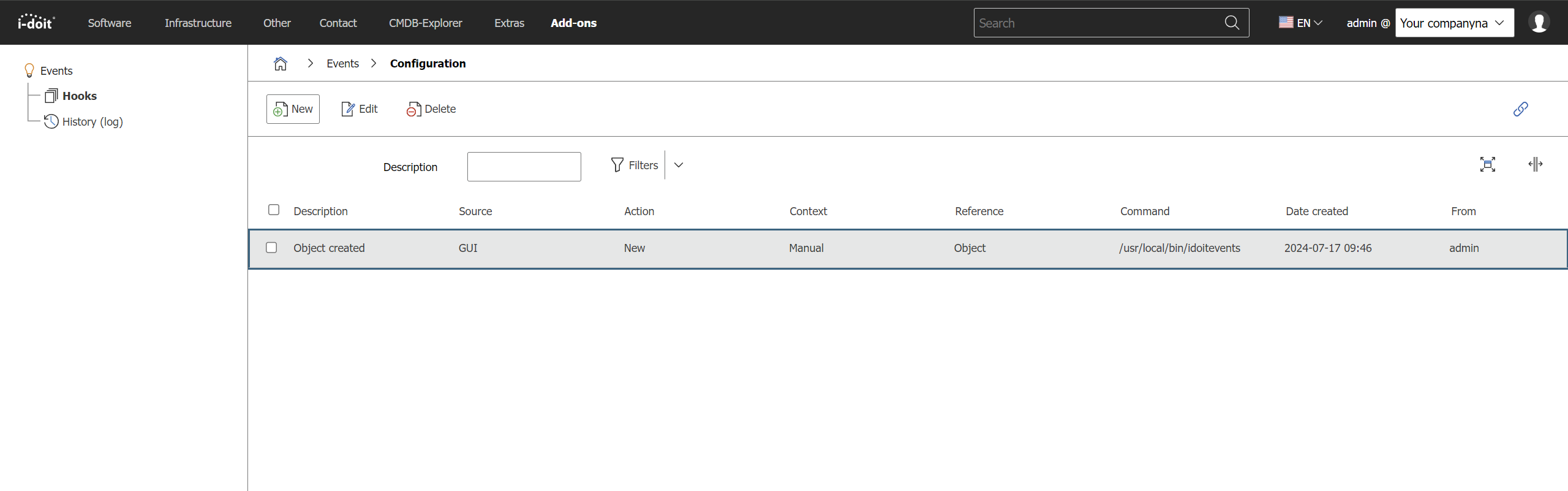
The configuration is accessed via Administration → Add-ons → Events → Hooks.
404 Not Found
If only an error message appears when accessing the event configuration, stating that the page could not be found, this is most likely due to an incorrect web server configuration. Both the Apache rewrite module must be activated and reading the .htaccess file in the i-doit installation directory must be perwithted (AllowOverride All).
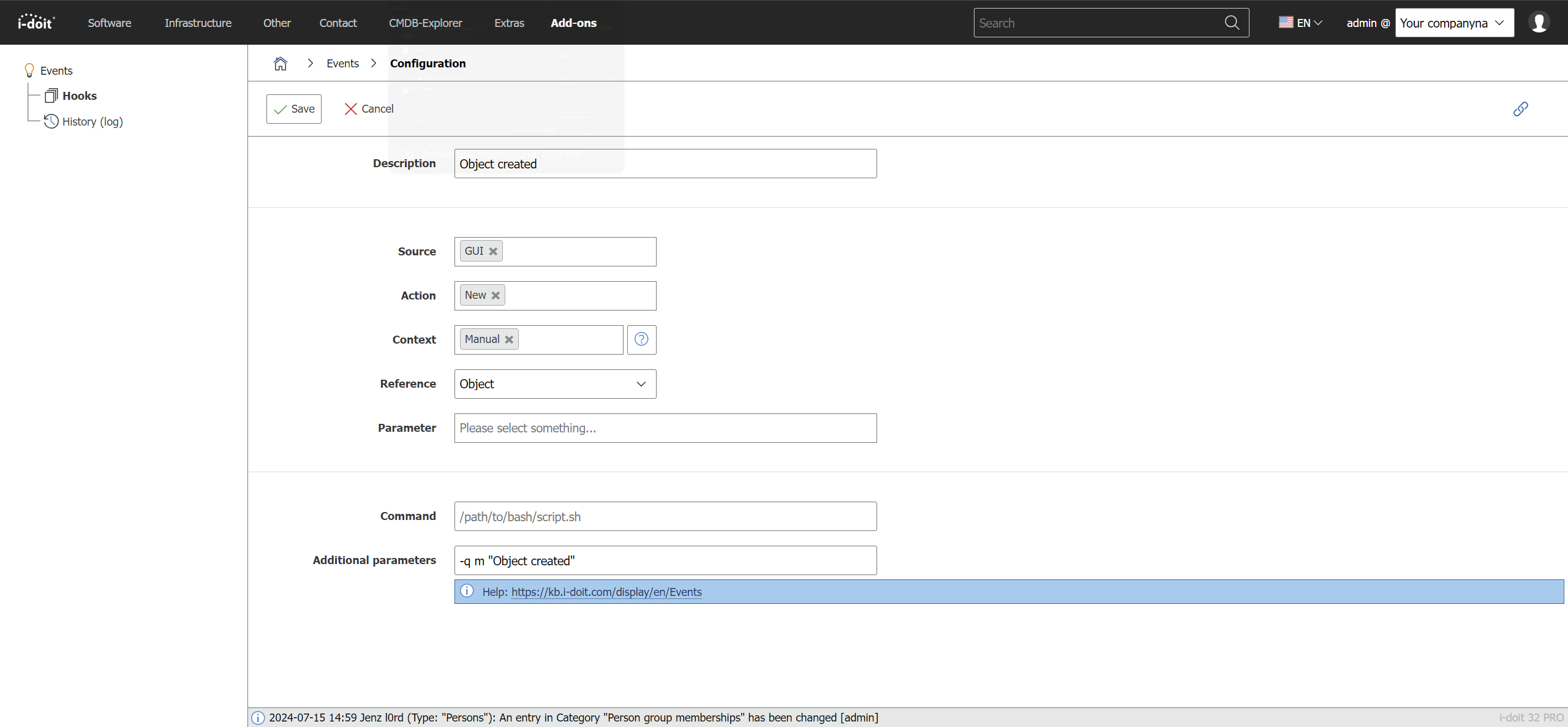
You combine events with command calls. An event is triggered by a hook -- i.e., during an internal routine in i-doit. The following events are available:
- Category
- Create (only via the web GUI)
- Save
- Archive/Delete/Restore/Purge
- Object
- Create
- Purge
- Object type
- Create/Save
- Purge
For all states in IT documentation, there are corresponding events. You can create any number of event-to-command-call combinations.
When a configured event occurs, i-doit immediately executes a shell script. Note the following:
- The script must be executable by the user or group under which the web server runs (on Debian:
www-data). - On GNU/Linux, set the execute permission bit (
chmod +x). - Any programming language is supported, as long as the operating system supports it (Bash, PHP, Python, Perl, etc.).
The shell script receives information about the event as BASE64-encoded JSON. Here is an example after decoding -- it shows saving a category entry:
1 2 3 4 5 6 7 8 9 10 11 12 13 14 15 16 17 18 19 20 21 22 23 24 25 26 27 28 29 30 31 32 33 34 35 36 37 38 39 40 41 42 43 44 45 46 47 48 49 50 51 52 53 54 55 56 57 58 59 60 61 62 63 64 65 66 67 68 69 70 71 72 73 74 75 76 77 78 79 80 81 82 83 84 85 86 87 88 89 90 91 92 93 94 95 96 97 98 99 100 | |
In this example, the General category for the object "Headquarter Network" was successfully saved.
You can configure additional static parameters that are passed to the shell script. Placeholders are not supported.
i-doit Controller
The described shell scripts are not only suitable for controlling third-party systems but also i-doit itself. There is nothing preventing you from calling i-doit's command-line tool, the Controller, or the API via such a shell script. This allows automated tasks to be performed within the IT documentation.
Performance
The command calls are executed synchronously -- when clicking Save, i-doit waits until the shell script has finished. With many or extensive scripts, this can slow down the web GUI.
Recommendation: Build a queue. Your shell script receives the parameters and saves them to a temporary file. A separate cron job then processes this queue asynchronously. This way, the user does not experience any delay.
Logging#
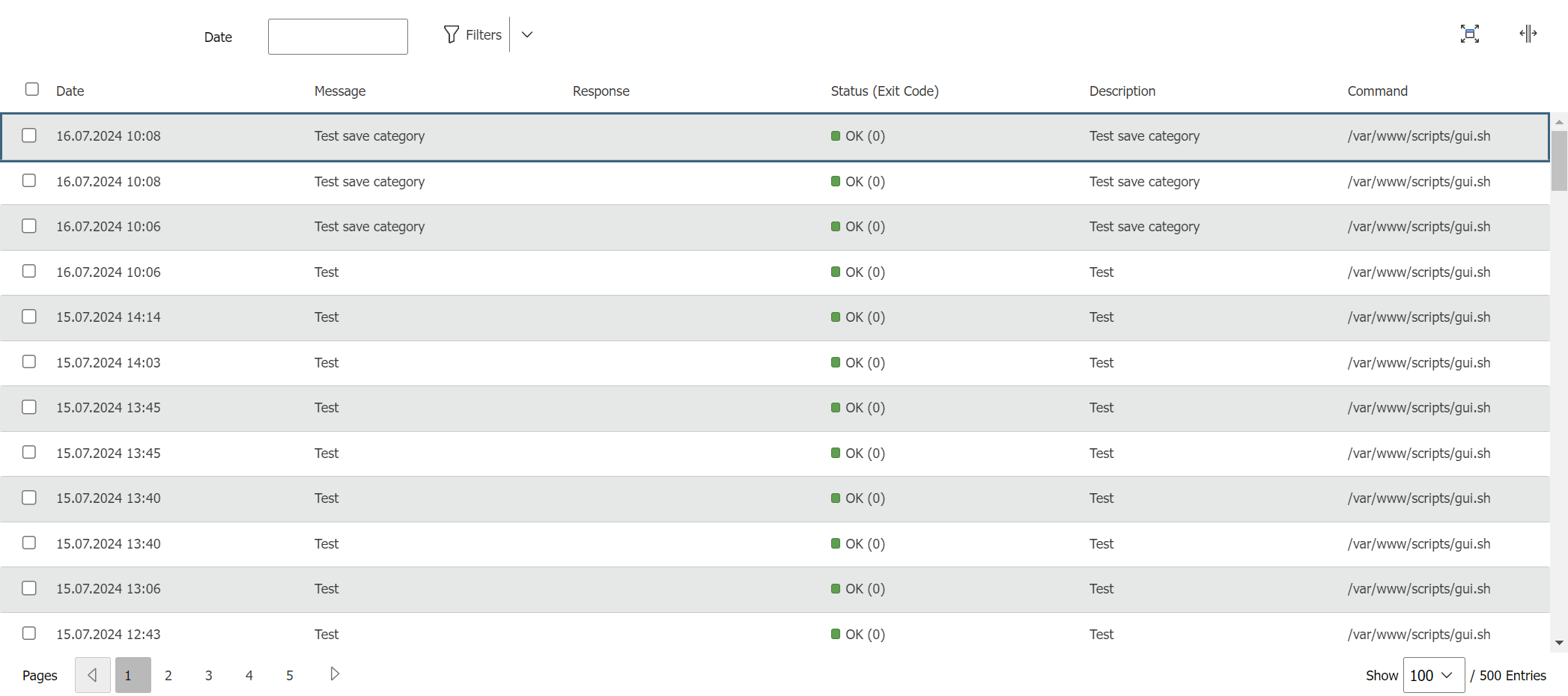
Each execution of an event command call is logged. The last 500 entries can be found under Administration → Add-ons → Events → History (Log).
Releases#
| Version | Date | Changelog |
|---|---|---|
| 1.3 | 05.09.2022 | [Task] Change link to knowledgebase [Task] PHP 8.0 Compatibilit [Task] Design Compatibility [Bug] Events are not triggered when changing/assigning roles |
| 1.2 | [Improvement] The event contains information about the user [Bug] Custom category constants are not passed, when ranking entries | |
| 1.1.1 | 31.07.2019 | [Bug] Drop-down empty in hooks for object types |
| 1.1 | 30.01.2019 | [Bug] Constant of user defined categories is missing |
| 1.0.1 | [Bug] i-doit 1.12 compatibility | |
| 1.0 | 03.07.2018 | Initial release |