Replacement
Are you putting a new switch into operation and want to take over all existing connections? With the Add-on Replacement you swap objects and configure which connections and category data are transferred.
The add-on was previously called SwapCI until version 1.3.1.
Download and installation#
This add-on can be installed afterward. Detailed descriptions regarding download, installation, updates, etc. can be found in the article i-doit Add-ons.
Configuration#
Under Administration → Add-ons → Device Swap → Configuration you define default values to standardize and speed up frequent swap processes.
| Option | Description |
|---|---|
| Selectable object types | Which objects of which type can be swapped is defined here. Additionally, per object type it is defined which categories (and thus which attributes) should be swapped. Categories that are not selected remain unaffected by a swap. |
| CMDB status for replacement devices | The selection of which objects are offered for swapping can be restricted via their CMDB status |
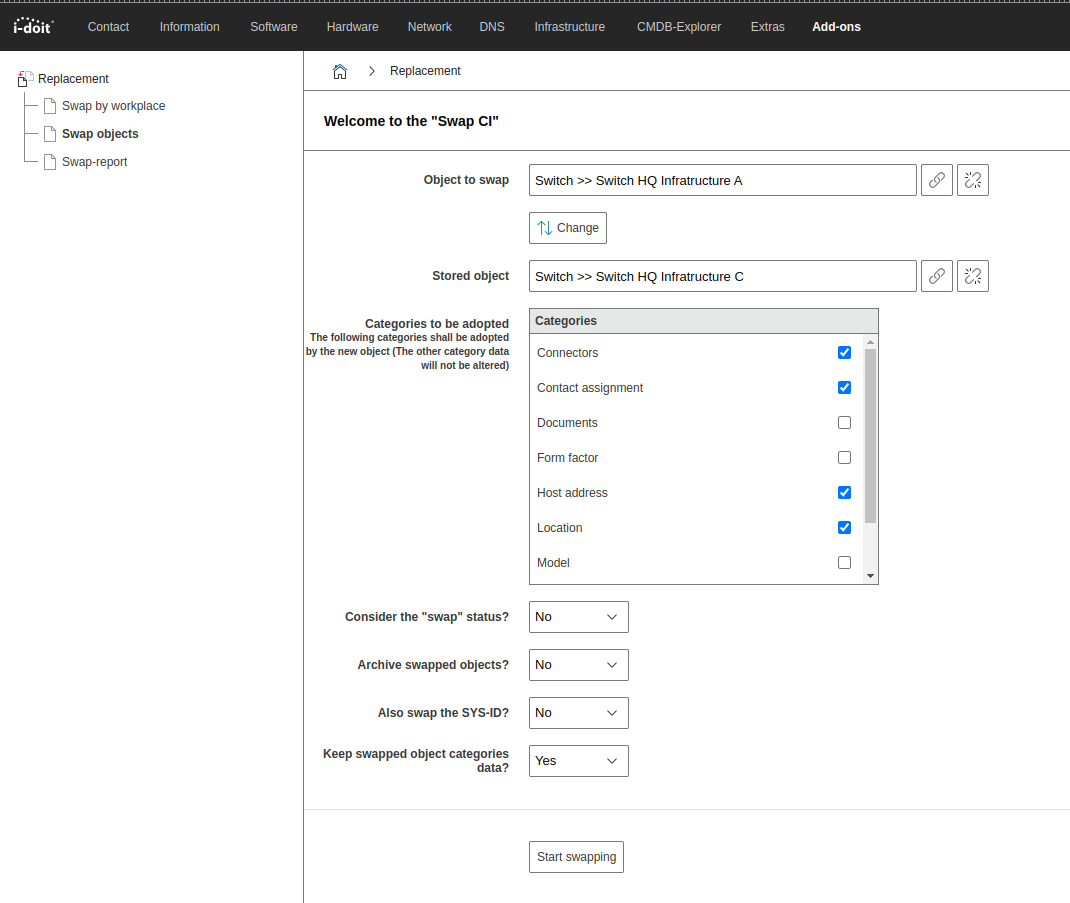
| Consider "swap" status? | If the swap status is considered, the swapped device receives the CMDB status Swapped and the replacement device receives the CMDB status In operation. |
| Archive swapped devices? | Should the object being swapped receive the state Archived? |
| Swap SYS-ID as well? | Should the SYS-ID attribute of the General category be swapped? This is an attribute for unique referencing. |
| Retain category data of swapped objects? | Should the category data of both objects be swapped? A -> B and B -> A. If "No" is selected, the swapped object will not take over any category data. |
Assigning rights#
Under Administration → Permissions → Device Swap can permissions for persons and person groups be adjusted.
| Condition | Description |
|---|---|
| Swap objects | May the user swap objects? |
| Swap by workstation systems | May the user swap workstation components? |
| Device swap configuration | May the user modify the configuration (see above)? |
| Device swap button in the object list | The user has via the action bar of the object list the ability to swap objects with each other. The Swap button appears there. |
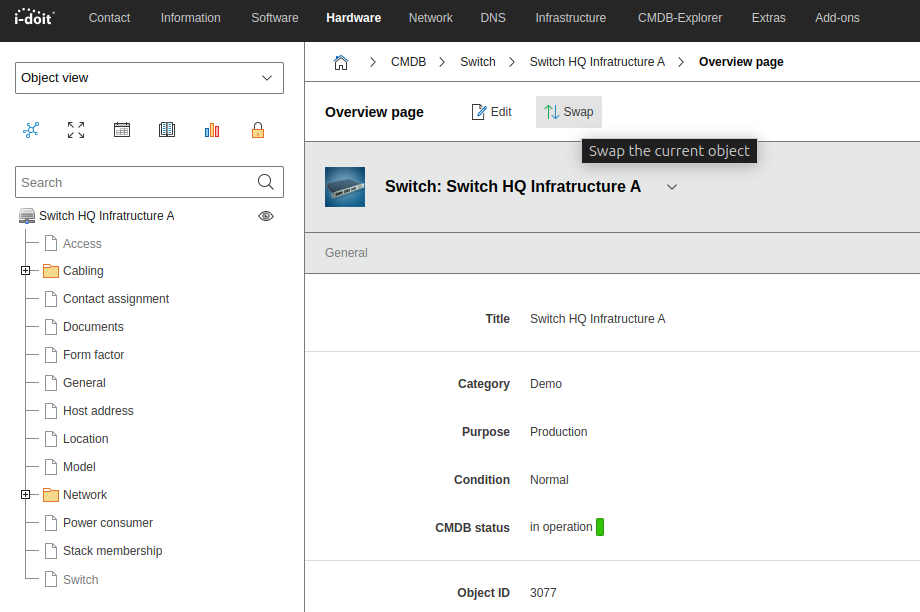
| Device swap button in objects | The user has via the action bar within an object the ability to swap the object with another. The Swap button appears there. |
Prerequisites#
Before two objects can be swapped with each other, the following prerequisites must be met:
- Both objects have the same object type.
- An object cannot be swapped with itself.
Swapping objects#
There are three ways to swap one object for another:
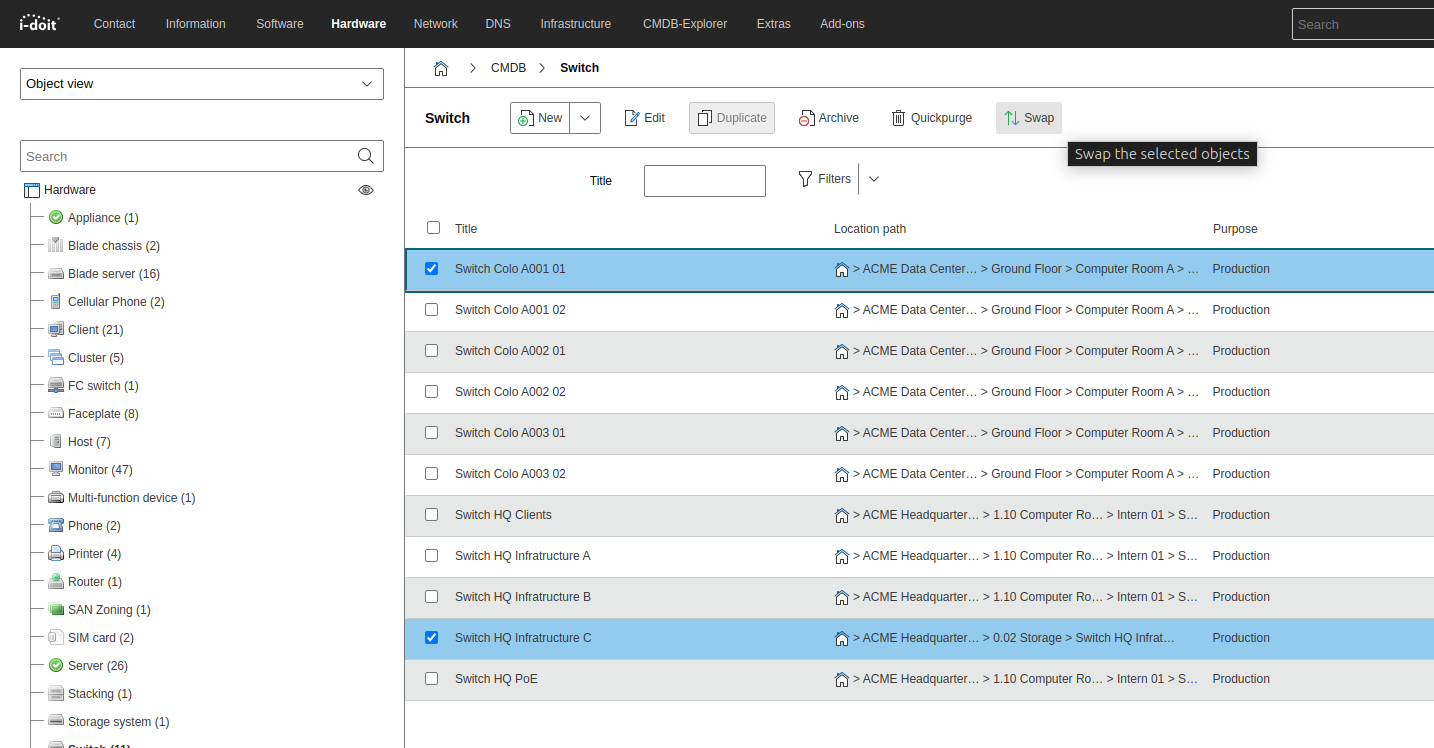
- Within an object list select both objects and in the action bar click the Swap button.
- Within an object, click the Swap button in the action bar and then select the replacement device under Stored object
- Under Add-ons → Device Swap select the two objects under Object to be swapped and Stored object
Only possible if the #Configuration has been made beforehand and the object type has been selected.
The selected objects can be swapped using the Swap button.
After selecting both objects, the options can be adjusted. Clicking the Start device swap button performs the swap of both objects.
Swap by workstation systems#
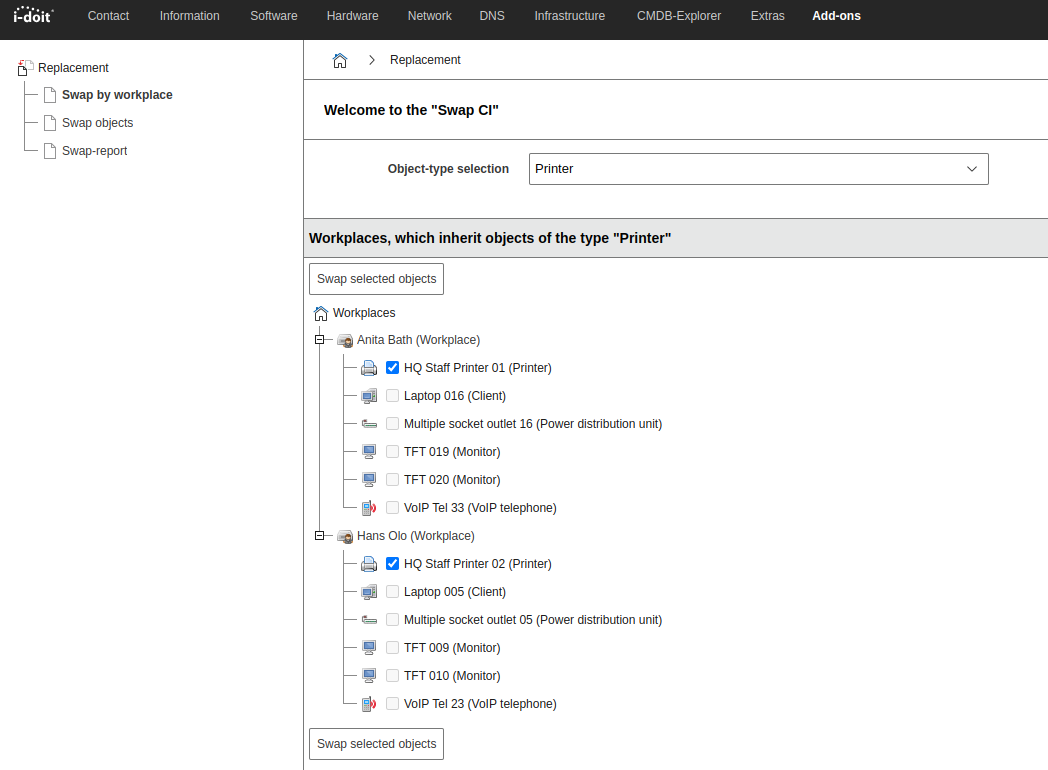
Under Add-ons → Device Swap → Swap by workstation systems you make a preselection via assigned workstations:
- Select an object type.
- All Workstation objects whose Workstation components contain objects of this type appear.
- Select one object per workstation to swap and click Swap selected objects.
Swap report#
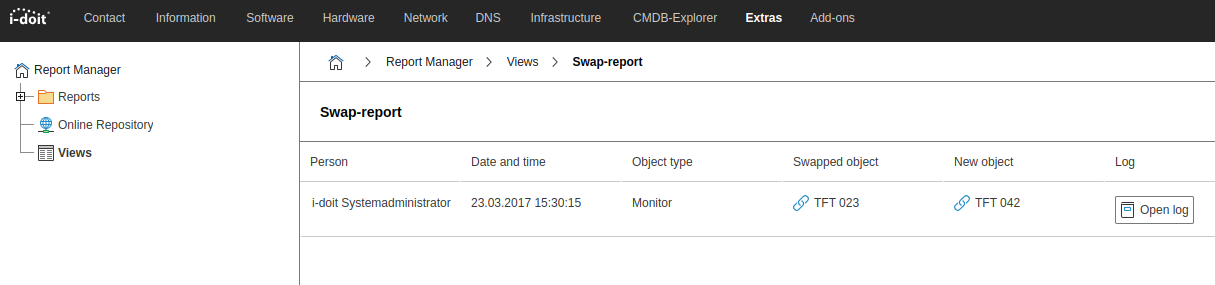
A report on previous swap actions can be found under Add-ons → Device Swap → Swap Report (alternatively via Extras → Report Manager → Views → Swap Report).
Releases#
| Version | Date | Changelog |
|---|---|---|
| 1.6 | 10.10.2024 | [Bug] Fix auto load issue during add-on installation |
| 1.5 | 07.11.2023 | [Bug] No changes are recorded in the logbook [Bug] Signal error when downloading a document from the document repository |
| 1.4 | 05.09.2022 | [Task] HP 8.0 Compatibility [Task] Design Compatibility |
| 1.3.2 | 21.02.2022 | [Bug] Use Of German Language in English Version Of Object Swap |
| 1.3.1 | 10.08.2020 | [Bug] The location is lost during swap [Bug] Information is deleted when objects are exchanged |
| 1.3 | 20.05.2019 | [Improvement] Attributes "Serial number" and "Model designation" in device swap report [Bug] Search index is not renewed after a device swap [Bug] Device swap uses workflow tables [Bug] Swap status in English as only CMDB status with capital letter [Bug] Error when calling the swap report (device swap) |
| 1.2.5 | 02.05.2017 | [Bug] Error message in AdminCenter when uninstalling SWAP_CI |
| 1.2.4 | 08.03.2017 | [Bug] "Swap" button from "Device Swap" extension in object lists has no effect [Bug] PHP and i-doit compatibility improved |
| 1.2.3 | 08.10.2015 | [Improvement] Attributes "Serial number" and "Model designation" in device swap report [Bug] Device swap displays error message when logging in to its context [Bug] SQL error prevents selecting categories for swap |
| 1.2.2 | 09.03.2015 | [Bug] SwapCI module causes error if tenant does not have the module installed |
| 1.2.1 | 14.04.2014 | Initial release |