Locations#
The placement of hardware and more is an essential component of i-doit. This article explains how to document locations and place objects there.
Overview#
i-doit already comes with suitable object types in the standard installation that can be used (or hidden) for documenting locations:
- Country
- City
- Building
- Room
- Rack
In addition to these object types, each object has categories where the placement is recorded:
- Location: Specifies the physically parent object
- Locally assigned objects: List of physically subordinate objects
Locations are documented in a tree structure. This prevents objects from being physically placed in multiple locations, which is not physically possible.
Building a Location Path#
At the top level is the Root Location object, to which all other locations are subordinated. This object cannot be deleted.
As an example, consider a printer that is in an office room, which in turn is assigned to a building:
- Create a building and assign it to the Root Location via the Location category.
- Create a room and assign it to the building via the Location category.
- Create a printer and assign it to the room via the Location category.
This creates a so-called location path: Root Location > Building > Room > Printer.
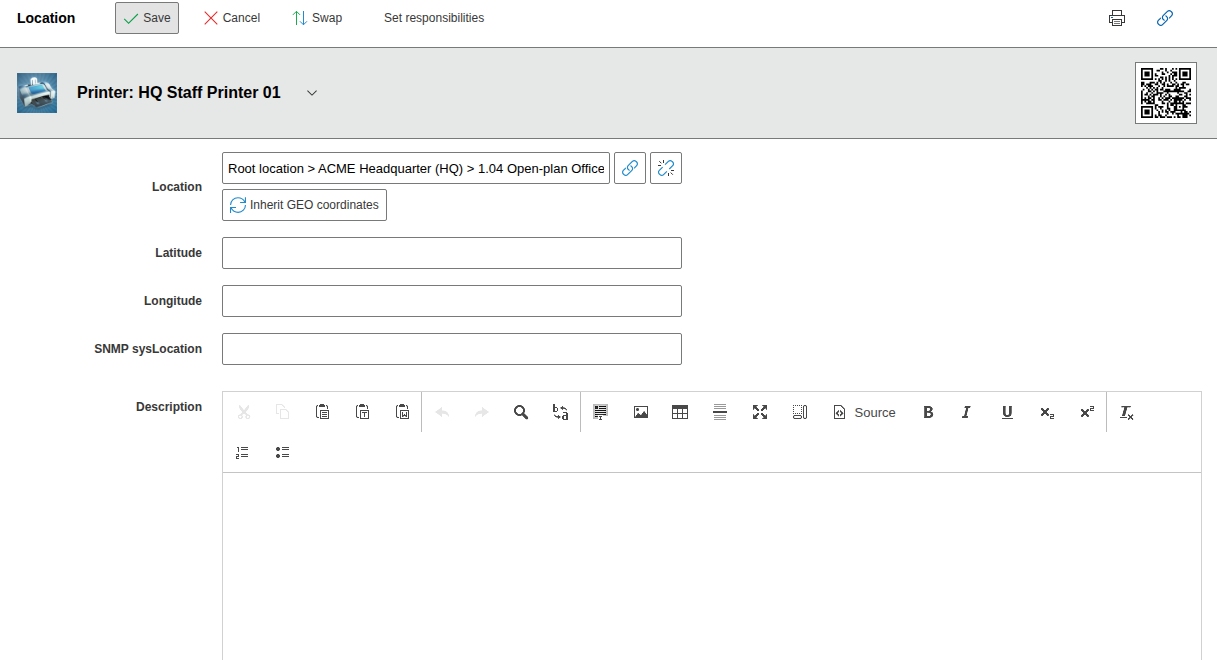
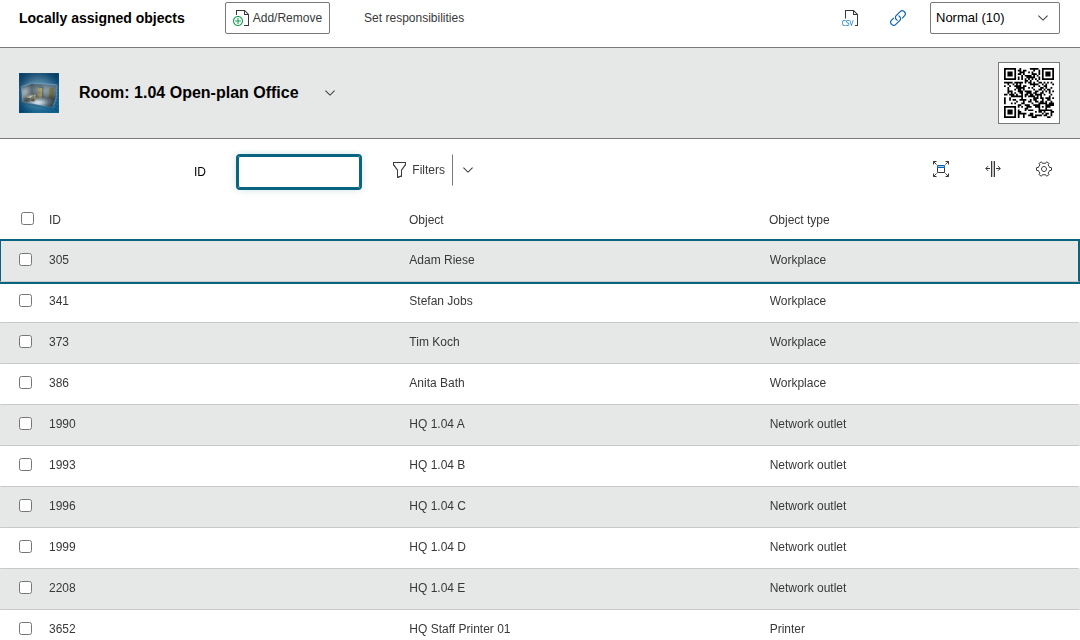
For each location object, the subordinate object is displayed in the Locally assigned objects category. The location path can also be edited via this category.
Defining an Object as a Location#
For an object -- such as a room -- to be defined as a location for other objects, its object type must be activated for this purpose. This is done under Administration > Data Structure > Object Types > [Object Type Group] > [Object Type] > Location. For the object types listed above, the option is already set to Yes.
Configuring the Location Path#
The location path can be configured under Administration > [Tenant Name] Management > Settings for [Tenant Name].
| Option | Data type | Default value | Description |
|---|---|---|---|
| Display settings > String for separating locations | String | > | Which character sequence should separate the objects of a location path from each other? |
| Maximum string lengths > Object name in the location path | Positive integer | 16 | How many characters may the object title per object within a location path have? Characters beyond this limit are truncated. |
| Maximum string lengths > Complete location path | Positive integer | 40 | How many characters may the full location path have? Longer strings are truncated. |
| Display Limits > Location path depth limit | Positive integer | 5 | How many locations should be displayed in the location path |
| Display settings > Location path orientation | Dropdown | Left-aligned (default) Right-aligned |
Positioning Hardware in a Rack#
Server racks can also be used as locations to position hardware there.
Chassis#
To equip chassis with corresponding modules, a similar mechanism is used. This feature is available in the object types
- Blade Chassis and Blade Server as well as
- Switch Chassis and Switch (as a module)
The actual documentation takes place in the Chassis category folder. By assigning a module in the Chassis > Assigned Devices category, a location relationship is also created.
Geo Coordinates#
In the Location category, geo coordinates with latitude and longitude can be stored. This creates links to popular map services, on whose map the object is placed.
Location View#
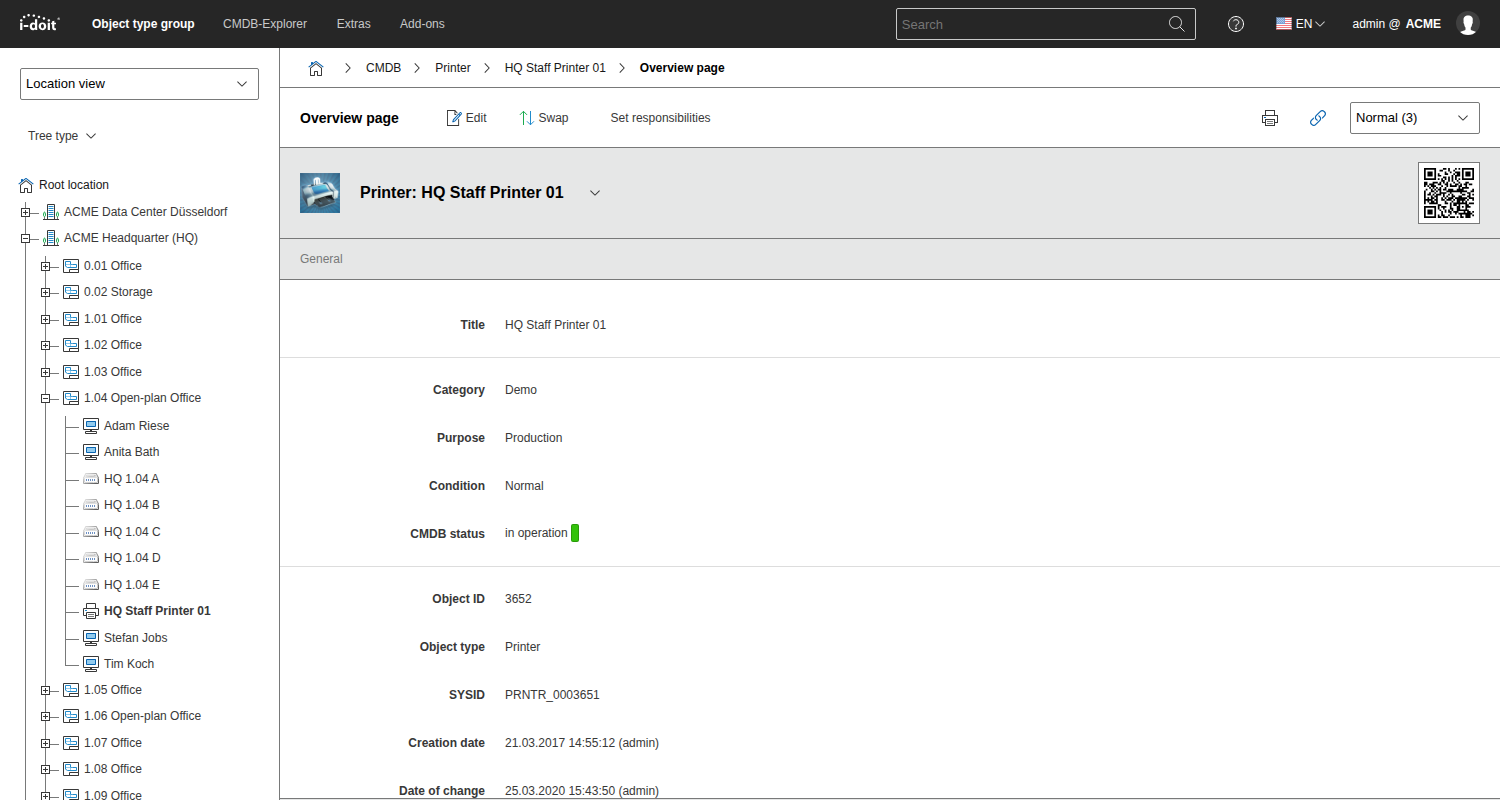
Navigating through all location paths is possible within the left navigation bar under Location View. The tree structure can be expanded and collapsed. An object opened in the main content area is highlighted in the Location View.
Logical Locations#
A documented workstation receives a person as a logical location. In addition, workstations can be assigned to physical locations. The Location View (see above) can display either physical or logical locations, or a combination of both. This option is user-defined.
Floor Plan#
The Floor Plan add-on is suitable for creating two-dimensional plans based on the location paths.
User Rights for Locations#
For each user or group of users, read, write, and many other rights for locations and subordinate objects can be granted.