Skip to content

Provisioning VMs (deprecated)#

Deprecated

In this article, we explore the use case of provisioning virtual machines (VMs) through i-doit. We leverage a well-maintained IT documentation, combined with a few scripts, to make this automation a reality.

Problem Statement#

Until now, a strict distinction has been made between documentation and configuration data: In i-doit, the organization-wide IT is documented, including a virtualization cluster consisting of multiple virtualization hosts (host systems) and the virtual machines (guest systems) running on them. The configuration of each VM, i.e., creating a new VM with specific details about CPU, memory, network, disk space, etc., takes place within the cluster's administration interface. This process is also called provisioning.

In daily practice, the process therefore looks like this: a new VM is created via a dedicated tool, and the completed work is subsequently documented in i-doit:

  1. Start the configuration tool of the virtualization cluster
  2. Create and configure a new VM
  3. Switch to the IT documentation (i-doit)
  4. Create a new VM, store the configuration in the corresponding categories, assign the VM to the cluster

There is no data exchange between the tool used and i-doit, so the VM configuration must be done twice. Errors when transferring the configuration are not excluded. The redundant maintenance of configuration data is therefore a thankless task for the administrator.

This article is outdated and no longer current

Please note that the procedure described here may already be outdated.

Solution#

We want to optimize this process by using the configuration data available in i-doit and automating several steps. To do this, we rearrange the process:

  1. Open the IT documentation (i-doit)
  2. Create a new VM, store the configuration in the corresponding categories, assign the VM to the cluster
  3. The VM is automatically created and provisioned in the configuration tool of the virtualization cluster.

Four manual steps become two. The third step happens automatically in the background. The administrator no longer needs to maintain configuration data twice. Error sources are eliminated. The administrator is satisfied.

Assumptions#

We will walk through this use case completely with an example. It is intended to demonstrate the general approach and can be easily transferred to other environments. For the solution, we assume:

  1. The virtualization cluster is based on VMware vSphere version 5.
  2. i-doit is installed on Debian GNU/Linux 8.5. For this, we use the Eval Appliance. The distribution packages should be brought up to date with apt.
  3. The i-doit version is at least 1.7.1. The i-doit host is accessible via the FQDN i-doit.example.net.
  4. We use the VMware vSphere Client to verify the automation.
  5. A user exists in VMware vSphere who is allowed to provision VMs. In this example, this user is called vmprovision with the password vmprovision.

Configuration#

Let us start with the preparatory work so that both systems can communicate with each other.

vSphere SDK#

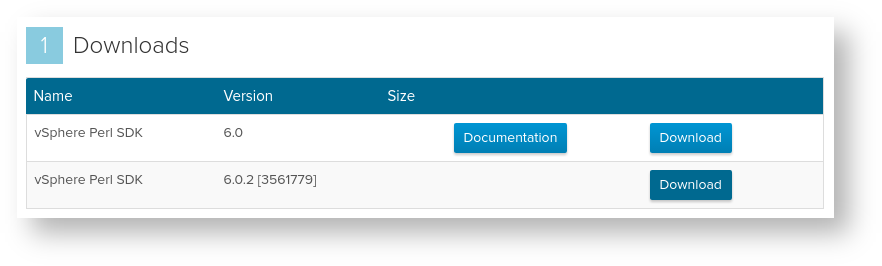
For i-doit to be able to tell the vSphere cluster to provision a new VM, we need the VMware SDK for Perl on the i-doit host. We download version 6.0.2. A VMware account is required, and the VMware End User License Agreement (EULA) must be accepted. We choose the download package for 64-bit operating systems as a tarball (.tar.gz).

vSphere SDK

vSphere SDK

After downloading, we copy the tarball to the i-doit host and extract it. Since we need root privileges for almost all subsequent commands, we log in as root:

1
2
3
4
5
6
scp VMware-vSphere-Perl-SDK-6.0.0-3561779.x86_64.tar.gz idoitadm@i-doit.example.net:
ssh idoitadm@i-doit.example.net
sudo -s
tar vxzf VMware-vSphere-Perl-SDK-6.0.0-3561779.x86_64.tar.gz
mv vmware-vsphere-cli-distrib/ /usr/src/
cd /usr/src/

Now is a good time to bring the system up to date. We also install additional packages via apt and cpan:

1
2
3
apt-get update && apt-get upgrade && apt-get dist-upgrade && apt-get autoremove && apt-get clean
apt-get install git build-essential libssl-dev perl-doc libxml-libxml-perl libxml2-dev uuid-dev libuuid-perl libcrypt-ssleay-perl libapache2-mod-perl2 libsoap-lite-perl
cpan install CPAN ExtUtils::MakeMaker Module::Build Net::FTP LWP Crypt::OpenSSL::RSA Class::MethodMaker Socket6 IO::Socket::INET6 Convert::ASN1 Crypt::X509 UUID::Random Archive::Zip Path::Class Try::Tiny Data::Dump Net::INET6Glue LWP::Protocol::https

Since the SDK does not officially support the Debian GNU/Linux operating system, we need to trick the SDK into thinking it is running on a different OS:

1
echo ubuntu > /etc/tmp-release

The SDK requires the environment variables http_proxy and ftp_proxy:

1
2
export http_proxy=
export ftp_proxy=

Now we install the SDK. It comes with an installation script:

1
./vmware-install.pl

The script will ask you to confirm the VMware EULA with yes. If it wants to install additional Perl modules, this should be confirmed with yes. If the installation was successful, the following text appears, among others:

1
This installer has successfully installed both vSphere CLI and the vSphere SDK for Perl.

At this point, the SDK installation is complete. We gratefully followed this guide. Thank you! And now let us continue:

i-doit API#

Communication between i-doit and VMware takes place, among other things, via the i-doit API. This must be activated and the API key must be known. To use the API conveniently, we use the reference client for PHP:

1
2
3
4
cd /usr/local/share/
git clone https://bitbucket.org/dstuecken/i-doit-api-clients.git
cd i-doit-api-clients/php/
make initialize

The API client asks for the URL and API key of the i-doit installation to be used during make initialize.

Script#

The following script serves as the link between i-doit and VMware:

  1
  2
  3
  4
  5
  6
  7
  8
  9
 10
 11
 12
 13
 14
 15
 16
 17
 18
 19
 20
 21
 22
 23
 24
 25
 26
 27
 28
 29
 30
 31
 32
 33
 34
 35
 36
 37
 38
 39
 40
 41
 42
 43
 44
 45
 46
 47
 48
 49
 50
 51
 52
 53
 54
 55
 56
 57
 58
 59
 60
 61
 62
 63
 64
 65
 66
 67
 68
 69
 70
 71
 72
 73
 74
 75
 76
 77
 78
 79
 80
 81
 82
 83
 84
 85
 86
 87
 88
 89
 90
 91
 92
 93
 94
 95
 96
 97
 98
 99
100
101
102
103
104
105
106
107
108
109
110
111
112
113
114
115
116
117
118
119
120
121
122
123
124
125
126
127
128
129
130
131
132
133
134
135
136
137
138
139
140
141
142
143
144
145
146
147
148
149
150
151
152
153
154
155
156
157
158
159
160
161
162
163
164
165
166
167
168
169
170
171
172
173
174
175
176
177
178
179
180
181
182
183
184
185
186
187
188
189
190
191
192
193
194
195
196
197
198
199
200
201
202
203
204
205
206
207
208
209
210
211
212
213
214
215
216
217
218
219
220
221
222
223
224
225
226
227
228
229
230
231
232
233
234
235
236
237
238
239
240
241
242
243
244
245
246
247
248
249
250
251
252
253
254
255
256
257
258
259
260
261
262
263
264
265
266
267
268
269
270
271
272
273
274
275
276
277
278
279
280
281
282
    #!/usr/bin/php
    <?php

    /**
     * Example script to privision a new virtual machine in vSphere with i-doit
     *
     * This script uses the i-doit API and the VMware Perl SDK. For more details, please See the i-doit
     * knowledge base.
     *
     * Licensed under the MIT License (MIT), <https://opensource.org/licenses/mit-license.php>.
     *
     * Copyright (c) 2016 synetics GmbH
     *
     * Permission is hereby granted, free of charge, to any person obtaining a copy of this software and
     * associated documentation files (the "Software"), to deal in the Software without restriction,
     * including without limitation the rights to use, copy, modify, merge, publish, distribute,
     * sublicense, and/or sell copies of the Software, and to permit persons to whom the Software is
     * furnished to do so, subject to the following conditions:
     *
     * The above copyright notice and this permission notice shall be included in all copies or
     * substantial portions of the Software.
     *
     * THE SOFTWARE IS PROVIDED "AS IS", WITHOUT WARRANTY OF ANY KIND, EXPRESS OR IMPLIED, INCLUDING BUT
     * NOT LIMITED TO THE WARRANTIES OF MERCHANTABILITY, FITNESS FOR A PARTICULAR PURPOSE AND
     * NONINFRINGEMENT. IN NO EVENT SHALL THE AUTHORS OR COPYRIGHT HOLDERS BE LIABLE FOR ANY CLAIM,
     * DAMAGES OR OTHER LIABILITY, WHETHER IN AN ACTION OF CONTRACT, TORT OR OTHERWISE, ARISING FROM,
     * OUT OF OR IN CONNECTION WITH THE SOFTWARE OR THE USE OR OTHER DEALINGS IN THE SOFTWARE.
     */

    use idoit\Api\Client as ApiClient;
    use idoit\Api\CMDB\Object as CMDBObject;
    use idoit\Api\CMDB\Category;
    use idoit\Api\Connection as ApiConnection;

    require_once('/usr/local/share/i-doit-api-clients/php/apiclient.php');

    /**
     * Configuration
     */

    $vSphereUsername = 'vmprovision';
    $vSpherePassword = 'vmprovision';
    $vSphereWebService = 'https://vc01.example.net:443/sdk/webService';
    $objCMDBStatus = '15'; // 'to be provisioned'
    $objCMDBStatus_ready = '16'; // 'provisioned'
    $api_entry_point = 'http://localhost/src/jsonrpc.php';
    $api_key = '2p1osbg427';
    \idoit\Api\Config::$jsonRpcDebug = false;

    function filter_number($p_string)
    {
      // Check, if we got a positive or negative number.
      $l_sign = (substr(trim($p_string), 0, 1) === '-') ? '-' : '';

      // First we strip the currency ("GHZ", "Euro", "$", ...) including spaces.
      $p_string = preg_replace('/([^,\.\d])*/i', '', $p_string);

      // If the number is null
      if (is_null($p_string) || $p_string === '') return null;

      // Check if someone wrote a string like "1.000.000".
      if (substr_count($p_string, '.') > 1)
      {
        $p_string = str_replace('.', '', $p_string);
      } // if

      // Check if someone wrote a string like "1,000,000".
      if (substr_count($p_string, ',') > 1)
      {
        $p_string = str_replace(',', '', $p_string);
      } // if

      // If we find a single point or a single comma, we use the last found one as decimal point.
      if (strpos($p_string, '.') !== false || strpos($p_string, ',') !== false)
      {
        if (strpos($p_string, '.') > strpos($p_string, ','))
        {
          $p_string = str_replace(',', '', $p_string);
        }
        elseif (strpos($p_string, '.') < strpos($p_string, ','))
        {
          $p_string = str_replace('.', '', $p_string);
          $p_string = str_replace(',', '.', $p_string);
        }
        elseif (strpos($p_string, '.') === false && is_int(strpos($p_string, ',')))
        {
          $p_string = str_replace(',', '.', $p_string);
        }
      } // if

      // Finally check if number is not numeric then return null
      if (!is_numeric($p_string)) return null;

      // Now we replace commas with dots: "1000,10" to "1000.10" and return the rounded value.
      return (float) round(str_replace(',', '.', $l_sign . $p_string), 4);
    } // function

    function to_kbytes($p_value)
    {
        if (is_null($p_value) || !is_numeric(substr($p_value, 0, -2)))
        {
            return null;
        } // if
        $l_return = trim($p_value);
        $l_unit   = strtoupper(substr($p_value, -2));
        switch ($l_unit)
        {
          case 'TB':
                $l_return *= 1024;
            case 'GB':
                $l_return *= 1024;
            case 'MB':
                $l_return *= 1024;
        } // switch
        return $l_return;
    } // function

    try
    {
        if (isset($argv[1]))
        {
            if (is_scalar($argv[1]) && ($params = base64_decode($argv[1])))
            {
                if (($params = json_decode($params, true)))
                {
                    if (isset($params['objectID']) && $params['objectID'] > 0)
                    {
                        if ($params['categoryConst'] == 'C__CATG__GLOBAL')
                        {
                                  if ($params['postData']['C__OBJ__CMDB_STATUS'] == $objCMDBStatus)
                                  {

                              \idoit\Api\Config::$jsonRpcDebug = false;
                              $l_apiClient = new ApiClient(
                                new ApiConnection(
                                  $api_entry_point, $api_key
                                )
                              );

                              // Get number of CPUs
                              $l_request = new \idoit\Api\Request($l_apiClient,
                                  'cmdb.category.read',
                                  array(
                                  'objID' => $params['objectID'],
                                  'category' => 'C__CATG__CPU'
                                )
                              );

                              $l_response = $l_request->send();
                              $cpuCount = count($l_response);

                              // Get memory
                              $l_request = new \idoit\Api\Request($l_apiClient,
                                    'cmdb.category.read',
                                    array(
                                    'objID' => $params['objectID'],
                                    'category' => 'C__CATG__MEMORY'
                                  )
                                );

                              $all_memory = 0;
                              $l_response = $l_request->send();
                              for ( $x = 0; $x < count($l_response); $x++) {

                                $memory_cleaned = filter_number($l_response[$x]['capacity']['title']);
                                $memory = to_kbytes( $memory_cleaned . $l_response[$x]['unit']['title']);
                                $all_memory = $all_memory + $memory;
                              }
                              $all_memory_mb = $all_memory / 1024;

                              // Get HDD
                              $l_request = new \idoit\Api\Request($l_apiClient,
                                    'cmdb.category.read',
                                    array(
                                    'objID' => $params['objectID'],
                                    'category' => 'C__CMDB__SUBCAT__STORAGE__DEVICE'
                                  )
                                );

                              $l_response = $l_request->send();
                              $hdd_cleaned = filter_number($l_response[0]['capacity']['title']);
                              $hdd = to_kbytes( $hdd_cleaned . $l_response[0]['unit']['title']);
                              $hdd_mb = $hdd / 1024;

                              // Get virtual host and cluster
                              $l_request = new \idoit\Api\Request($l_apiClient,
                                  'cmdb.category.read',
                                  array(
                                  'objID' => $params['objectID'],
                                  'category' => 'C__CATG__VIRTUAL_MACHINE'
                                )
                              );
                              $l_response = $l_request->send();

                              $datacenter = $l_response[0]['hosts']['title'];
                              $host = $l_response[0]['primary']['title'];

                              //Get SAN LUN
                              $l_request = new \idoit\Api\Request($l_apiClient,
                                  'cmdb.category.read',
                                  array(
                                  'objID' => $params['objectID'],
                                  'category' => 'C__CATG__VIRTUAL_DEVICE'
                                )
                              );
                              $l_response = $l_request->send();
                              for ( $x = 0; $x < count($l_response); $x++) {
                                if (isset($l_response[$x]['host_ldev_client']['ref_title']) && !empty($l_response[$x]['host_ldev_client']['ref_title']))
                                {
                                  $lun = $l_response[$x]['host_ldev_client']['ref_title'];
                                }
                              }

                              //Get Network
                              $l_request = new \idoit\Api\Request($l_apiClient,
                                  'cmdb.category.read',
                                  array(
                                  'objID' => $params['objectID'],
                                  'category' => 'C__CATG__VIRTUAL_DEVICE'
                                )
                              );
                              $l_response = $l_request->send();
                              for ( $x = 0; $x < count($l_response); $x++) {
                                if (isset($l_response[$x]['switch_port_group']['vs_port_group_title']) && !empty($l_response[$x]['switch_port_group']['vs_port_group_title']))
                                {
                                  $network = $l_response[$x]['switch_port_group']['vs_port_group_title'];
                                }
                              }

                              $dom      = new DomDocument("1.0");
                              $dom->formatOutput = true;
                              $dom->preserveWhiteSpace = false;
                              $VirtualMachines  = $dom->createElement('Virtual-Machines');
                              $VirtualMachine = $dom->createElement('Virtual-Machine');
                              $VirtualMachines->appendChild( $VirtualMachine );
                              $VirtualMachine->appendChild( $dom->createElement('Name', $params['postData']['C__CATG__GLOBAL_TITLE']) );
                              $VirtualMachine->appendChild( $dom->createElement('Host', $host) );
                              $VirtualMachine->appendChild( $dom->createElement('Datacenter', $datacenter) );
                              $VirtualMachine->appendChild( $dom->createElement('Guest-Id', '' ) );
                              $VirtualMachine->appendChild( $dom->createElement('Datastore', $lun ) );
                              $VirtualMachine->appendChild( $dom->createElement('Disksize', $hdd ) );
                              $VirtualMachine->appendChild( $dom->createElement('Memory', $all_memory_mb ) );
                              $VirtualMachine->appendChild( $dom->createElement('Number-of-Processor', $cpuCount) );
                              $VirtualMachine->appendChild( $dom->createElement('Nic-Network', $network) );
                              $VirtualMachine->appendChild( $dom->createElement('Nic-Poweron', '1') );
                              $dom->appendChild( $VirtualMachines );

                              $dom->save("/tmp/i-doit-vm-provision.xml");

                                    exec("/usr/src/vmware-vsphere-cli-distrib/apps/vm/vmcreate.pl --url $vSphereWebService --username $vSphereUsername --password $vSpherePassword --filename /tmp/i-doit-vm-provision.xml --schema /usr/src/vmware-vsphere-cli-distrib/apps/schema/vmcreate.xsd");
                              echo 'Provisioned machine ' . $params['postData']['C__CATG__GLOBAL_TITLE'] ;

                              //Set CMDB Status to provisioned
                              $l_request = new \idoit\Api\Request($l_apiClient,
                                  'cmdb.category.update',
                                  array(
                                    'objID' => $params['objectID'],
                                    'category' => 'C__CATG__GLOBAL',
                                    'data'     => array(
                                      'cmdb_status' => $objCMDBStatus_ready,
                                    )
                                  )
                              );

                              $l_response = $l_request->send();

                          }
                           }
                    }
                    else throw new Exception('Event Error: Object id not existent.');

                }
                else throw new Exception('Event Error: Script parameters not json-encoded.');

            }
            else throw new Exception('Event Error: Script parameters not base64 encoded.');
        }
    } catch (Exception $e)
    {
        echo $e->getMessage();
        exit;
    }

We copy this to the file /usr/local/bin/i-doit_provision.php. So that the Apache web server can execute the script, we set the appropriate permissions:

1
chmod 775 /usr/local/bin/i-doit_provision.php

This script contains the configuration for accessing both i-doit and VMware. These must be adjusted accordingly:

  • $vSphereUsername: User for vSphere (see above)
  • $vSpherePassword: Password for vSphere (see above)
  • $vSphereWebService: URL to the vSphere web service
  • $objCMDBStatus: ID of the CMDB status to be provisioned (see below)
  • $objCMDBStatus_ready: ID of the CMDB status provisioned (see below)
  • $api_entry_point: URL to the i-doit API
  • $api_key: Key for the i-doit API

Adding CMDB Status#

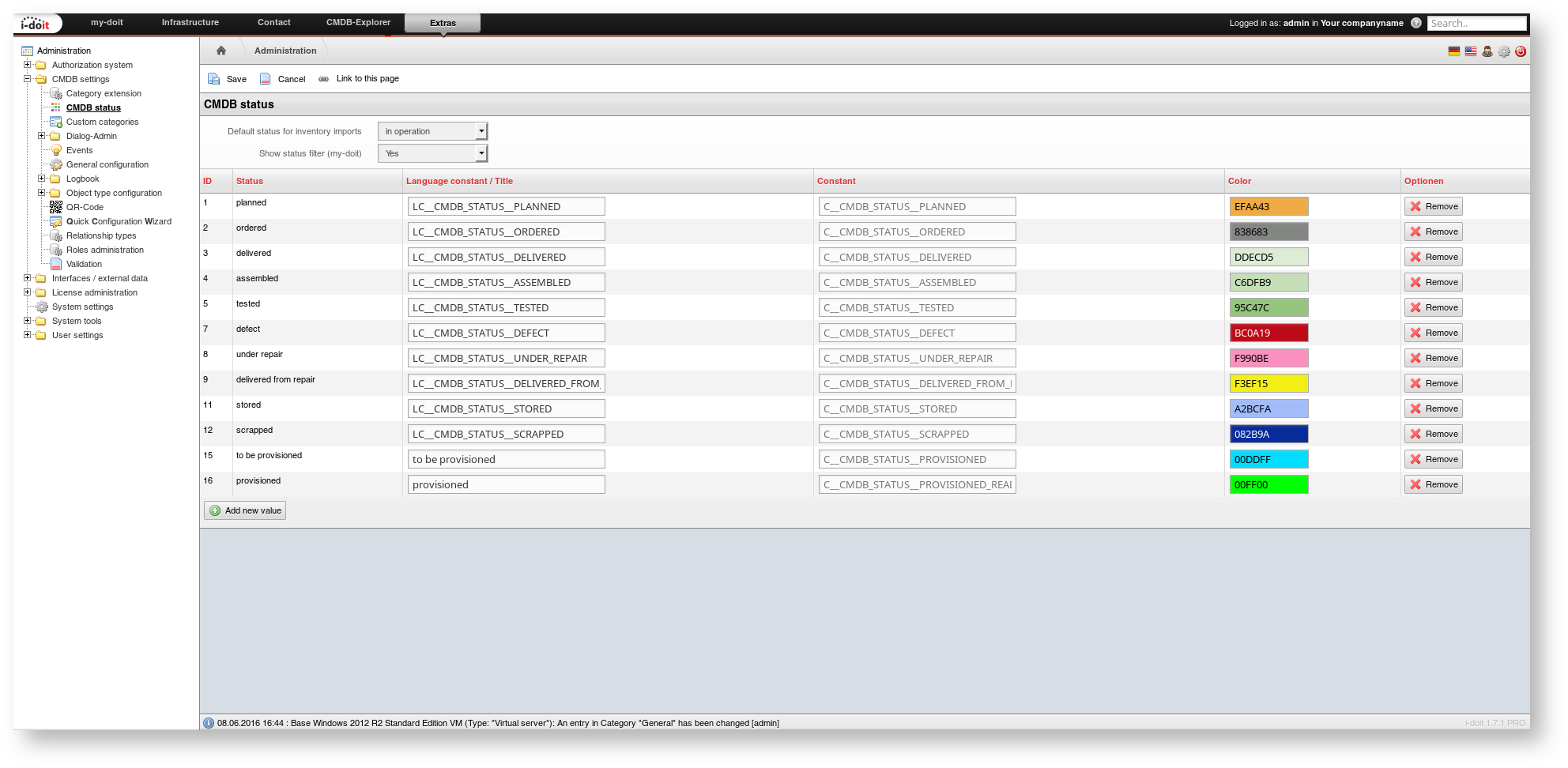
The two CMDB status entries "to be provisioned" and "provisioned" do not yet exist in the standard installation of i-doit, but are crucial for the automation. These must be added as described in the linked article.
Adding CMDB status

Configuring the Event#

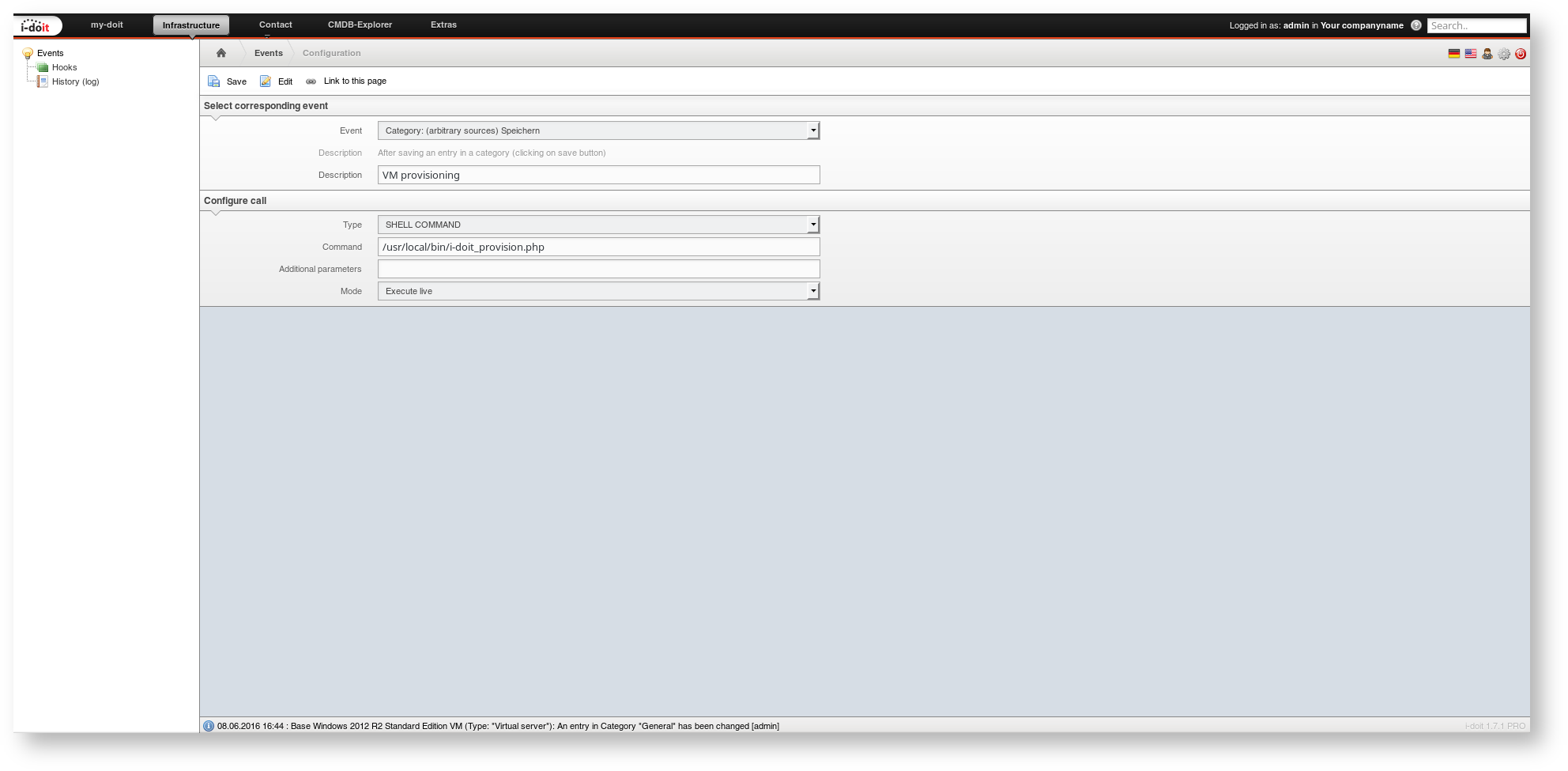
Now we need to configure in i-doit that the script is called when certain changes occur. For this, we use the event control and create a new hook:

  • Event: Category: (arbitrary sources) Save
  • Description: VM provisioning
  • Type: SHELL COMMAND
  • Command: /usr/local/bin/i-doit_provision.php
  • Additional parameters: leave empty
  • Mode: Executive live

Configuring the event

At this point, the configuration is complete and the automation is "armed".

Usage#

After the extensive, fortunately one-time configuration, let us look at how the automation works.

Documenting the Virtual Environment in i-doit#

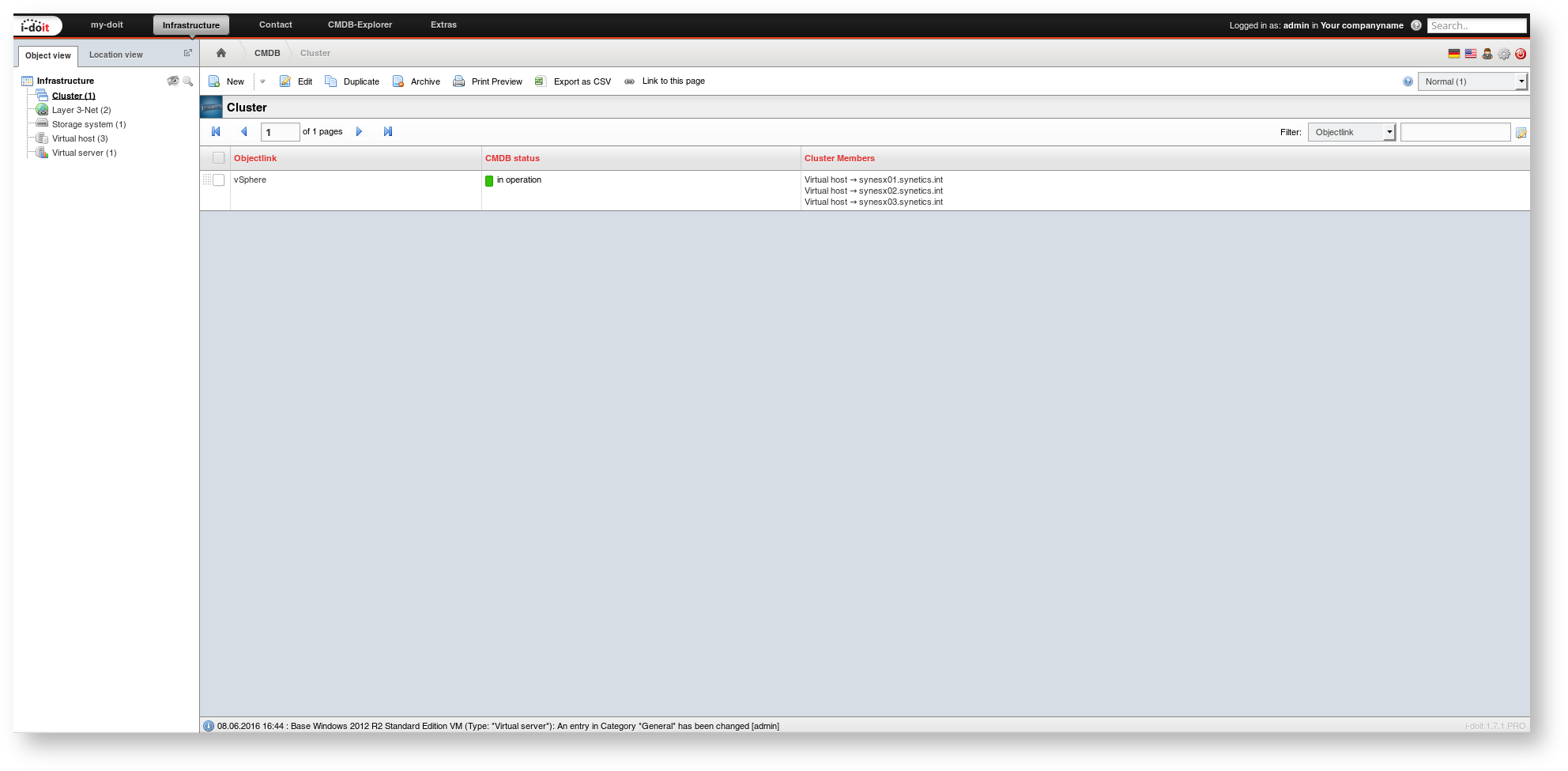
A vSphere cluster (object type Cluster) already exists with several ESX hosts (object type Virtual Host). The object title of the cluster corresponds to the datacenter in vSphere. The object titles of the ESX hosts are the hostnames also displayed in vSphere.
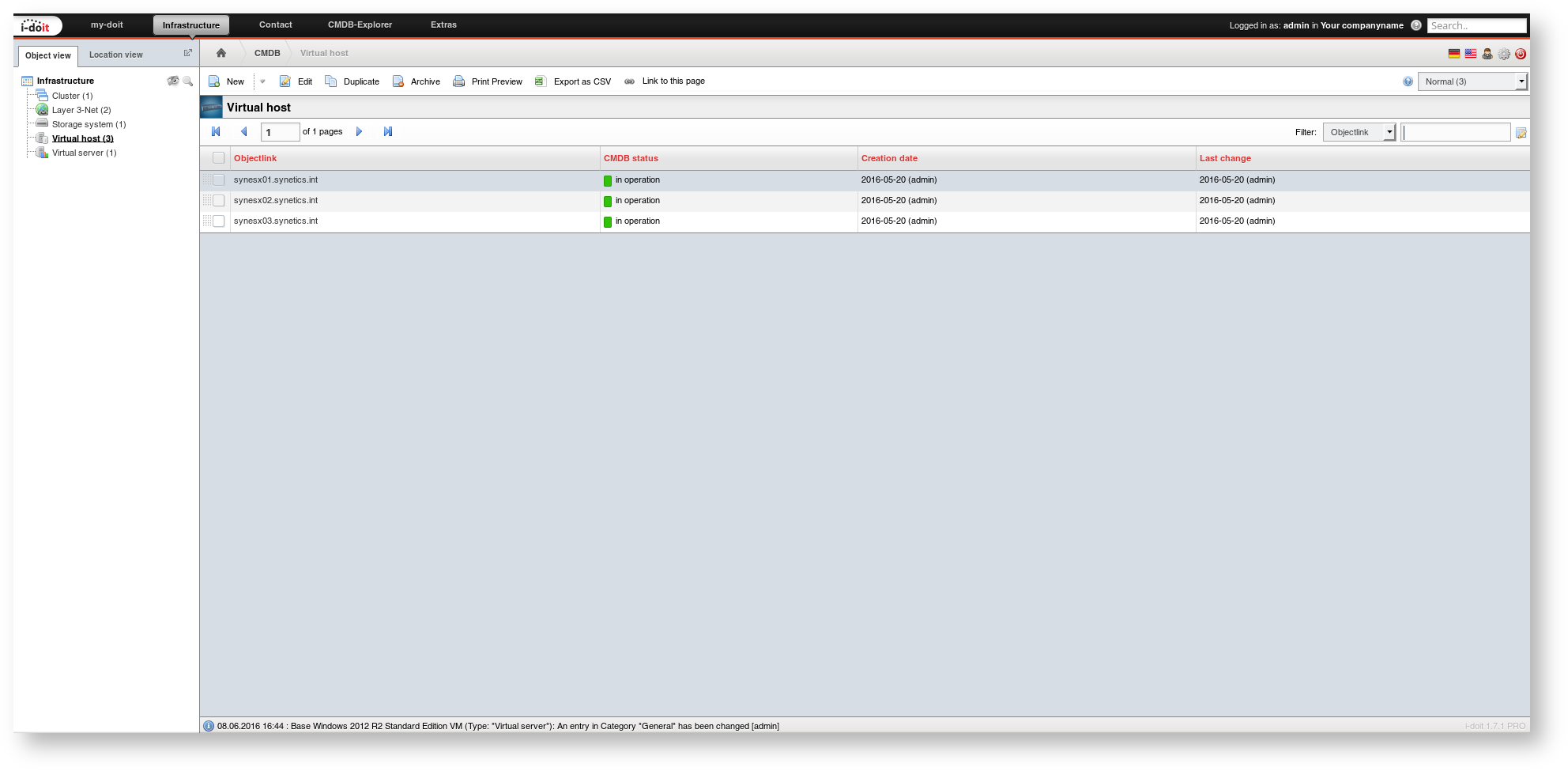
Cluster

Virtual host

Virtual switches with VLAN IDs are configured per ESX host (category Virtual Switches).
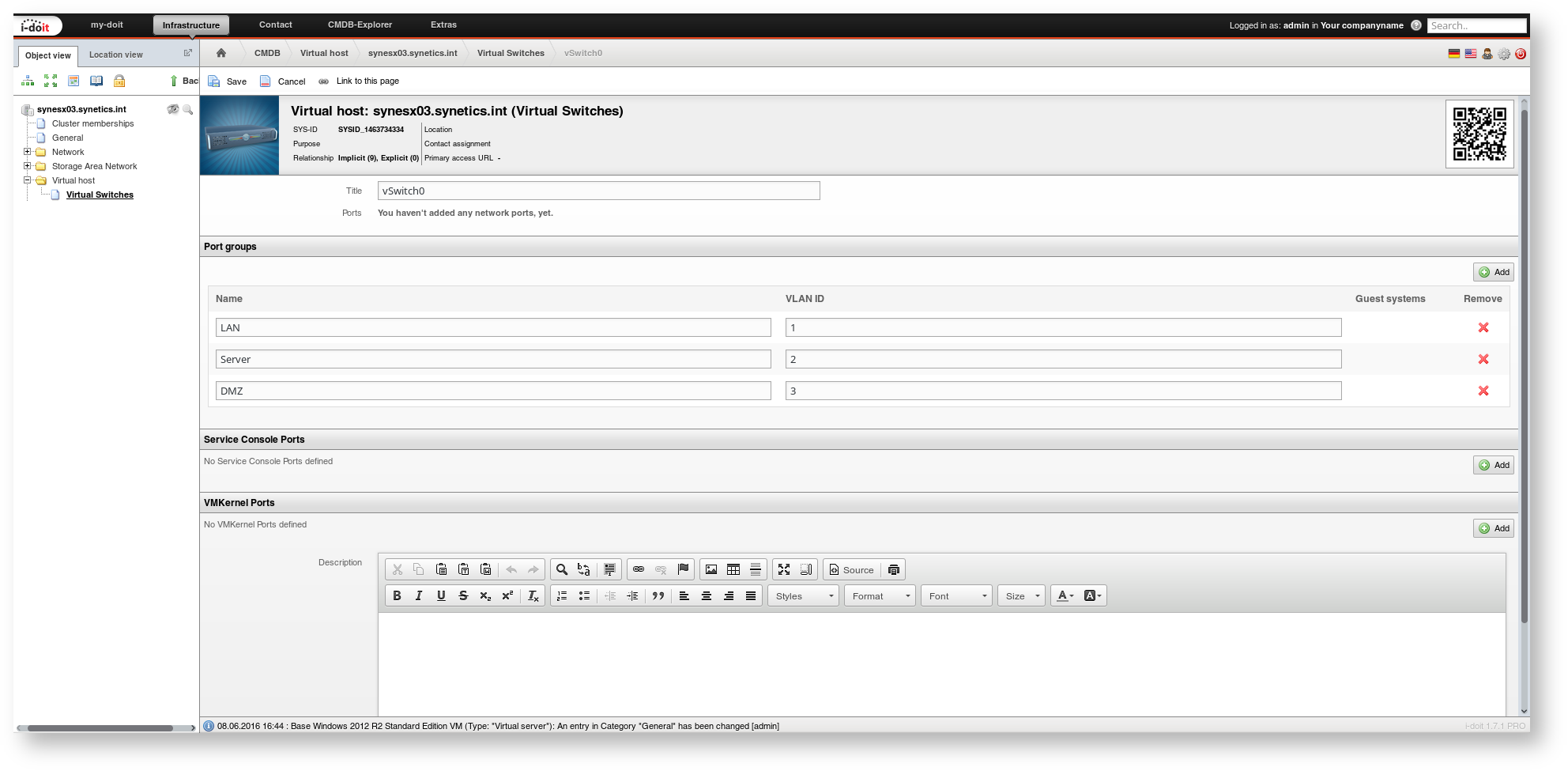
Virtual switches

The ESX hosts are connected to a central storage. Through this, the VMs are supplied with disk space (category Logical Devices (Client)).
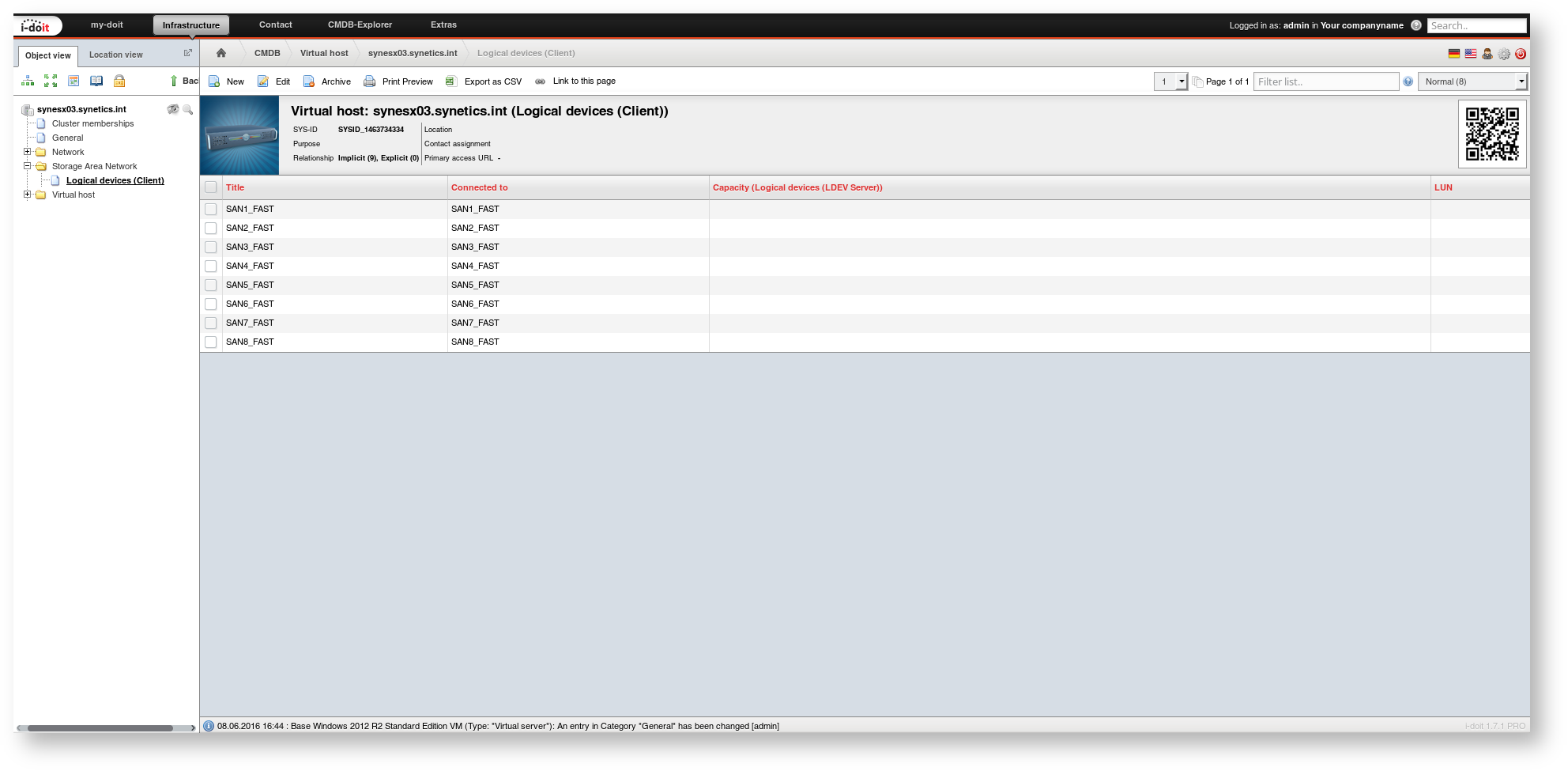
Logical devices

On the storage side, it looks accordingly. The Logical Devices (LDEV Server) category contains the assignment of LUNs to ESX hosts.
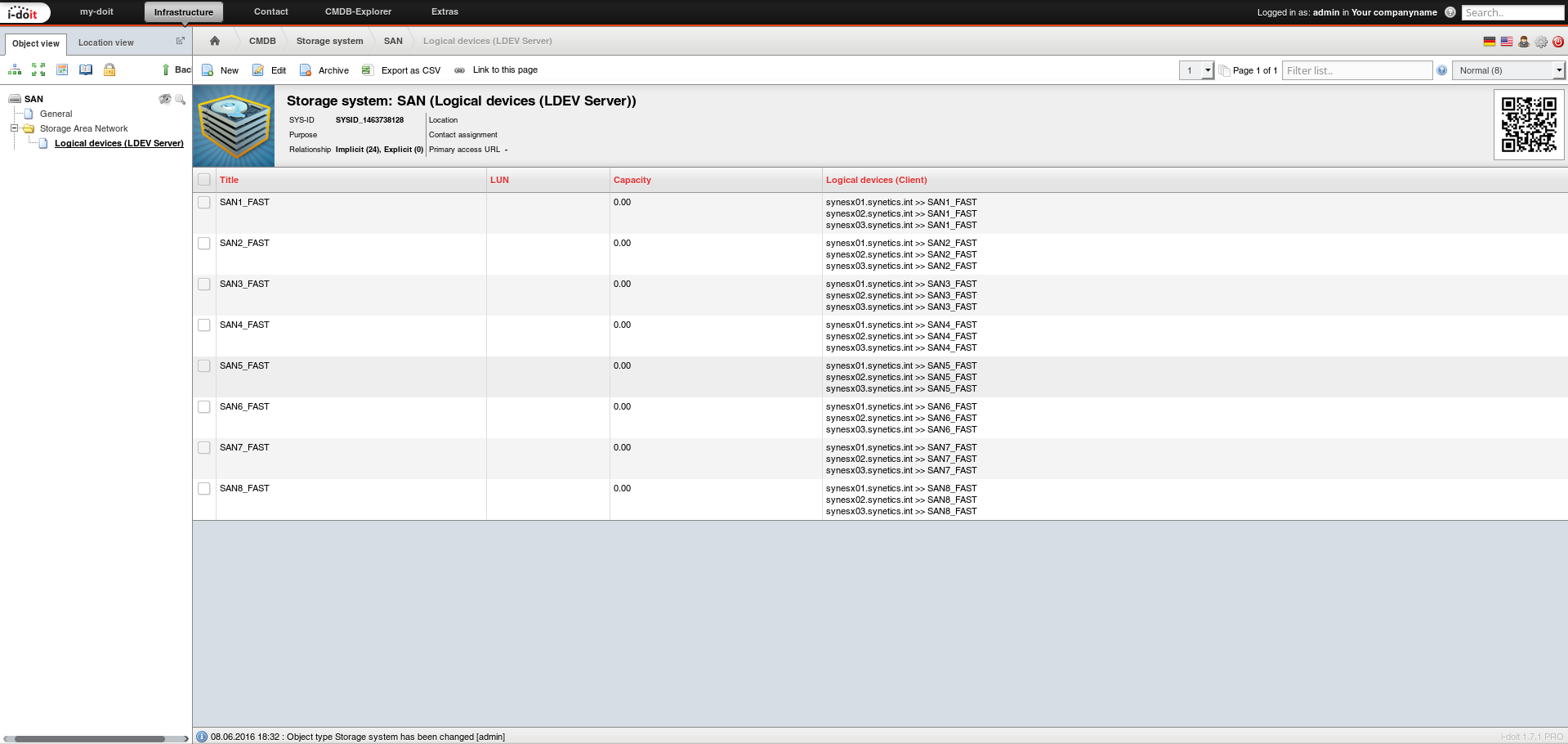
Logical devices

Creating a New VM#

The vSphere cluster and storage are now ready according to the IT documentation. It is time to document VMs -- and automatically provision them.

First, create a new VM (object type Virtual Server) and set it to the CMDB status "planned" (it does not exist yet).

Virtual server

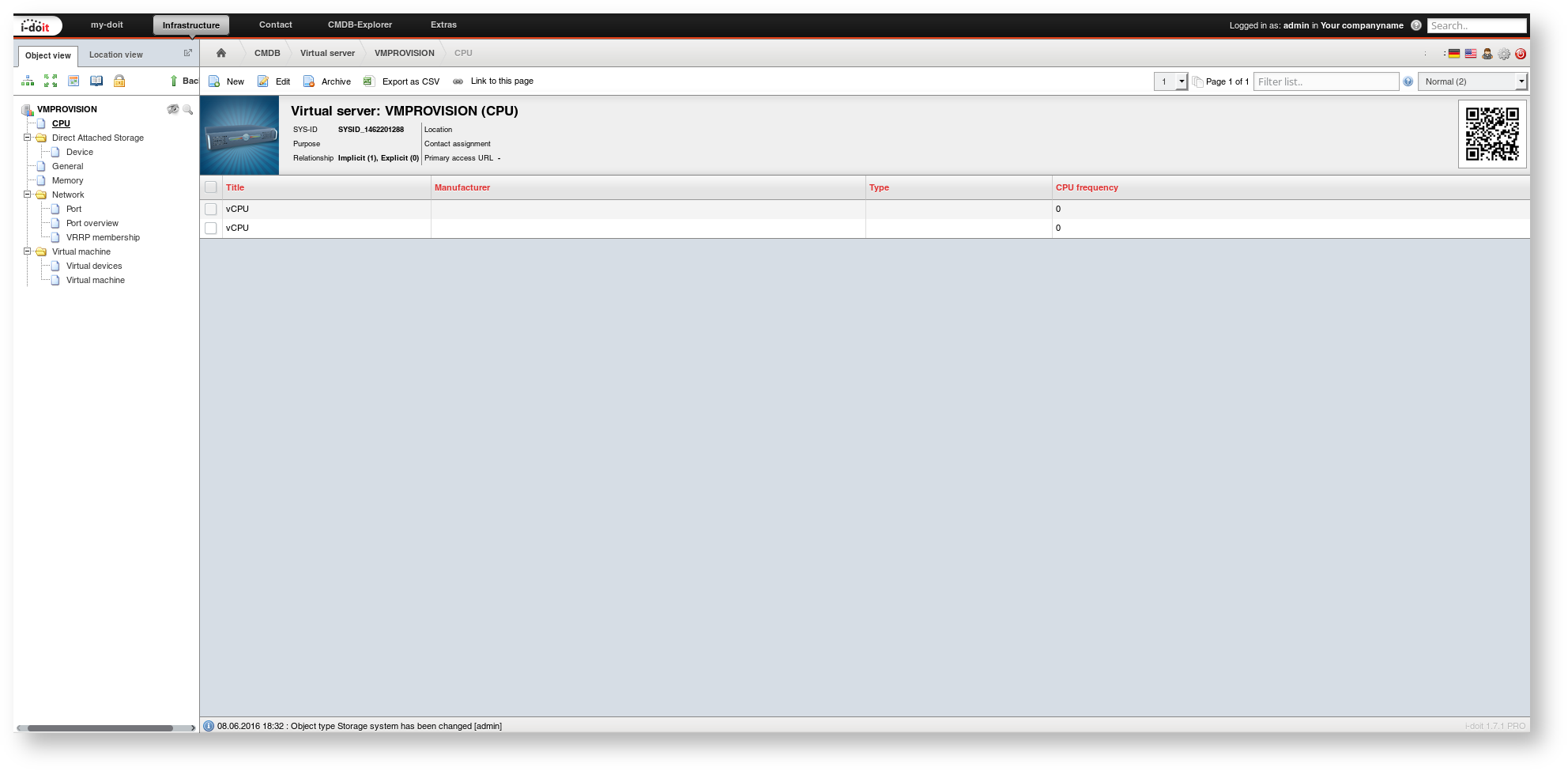
Then the desired system configuration is documented. In the CPU category, the number of required CPU cores is documented. An entry is created for each core.
CPU

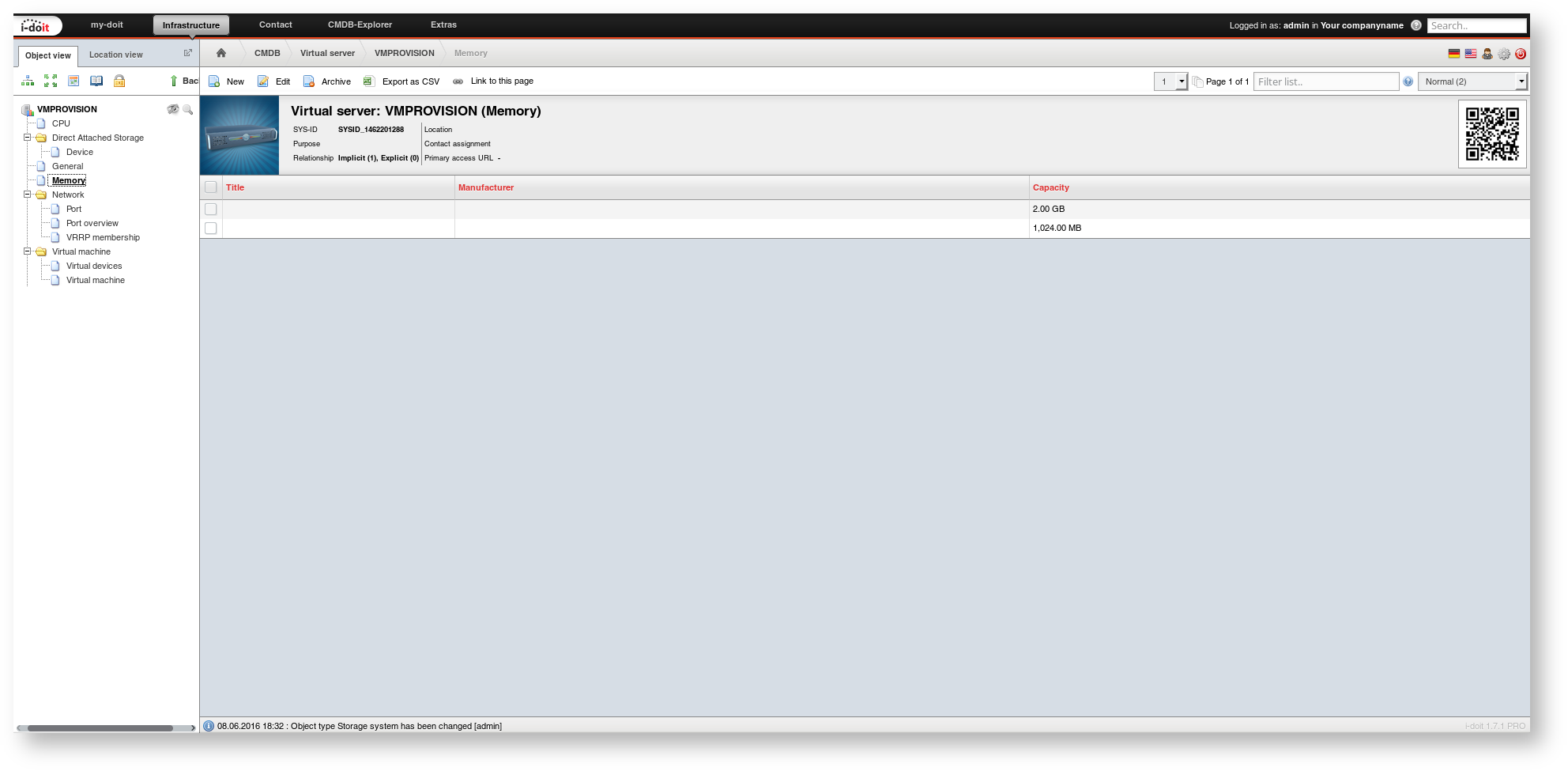
In the Memory category, the required RAM is documented. The number of memory modules and chosen size units do not matter. Instead, the total capacity is summed up.
Memory

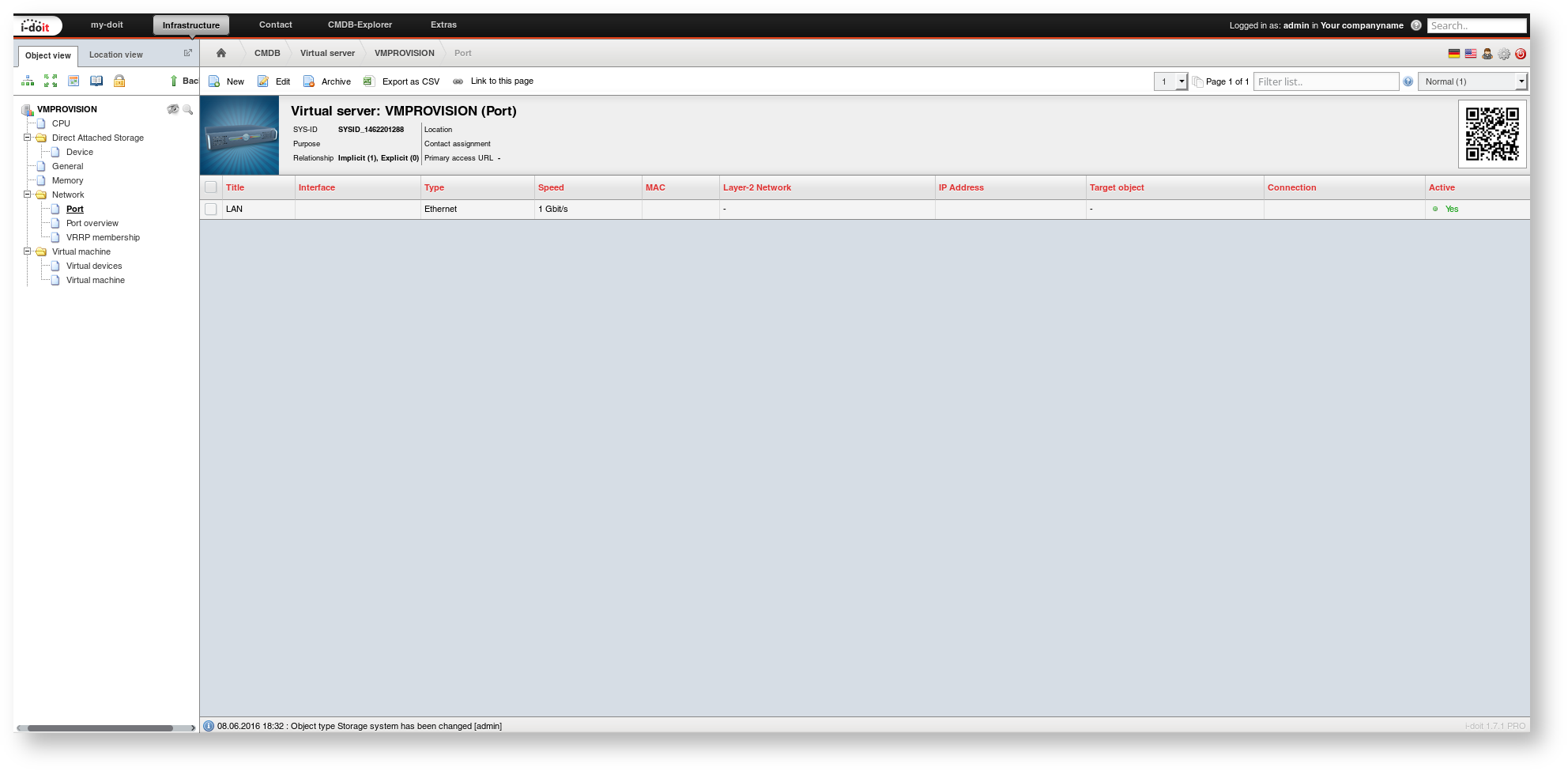
In the Network > Port category, the name of the first entry is used to configure a virtual port for the VM.
Network > Port

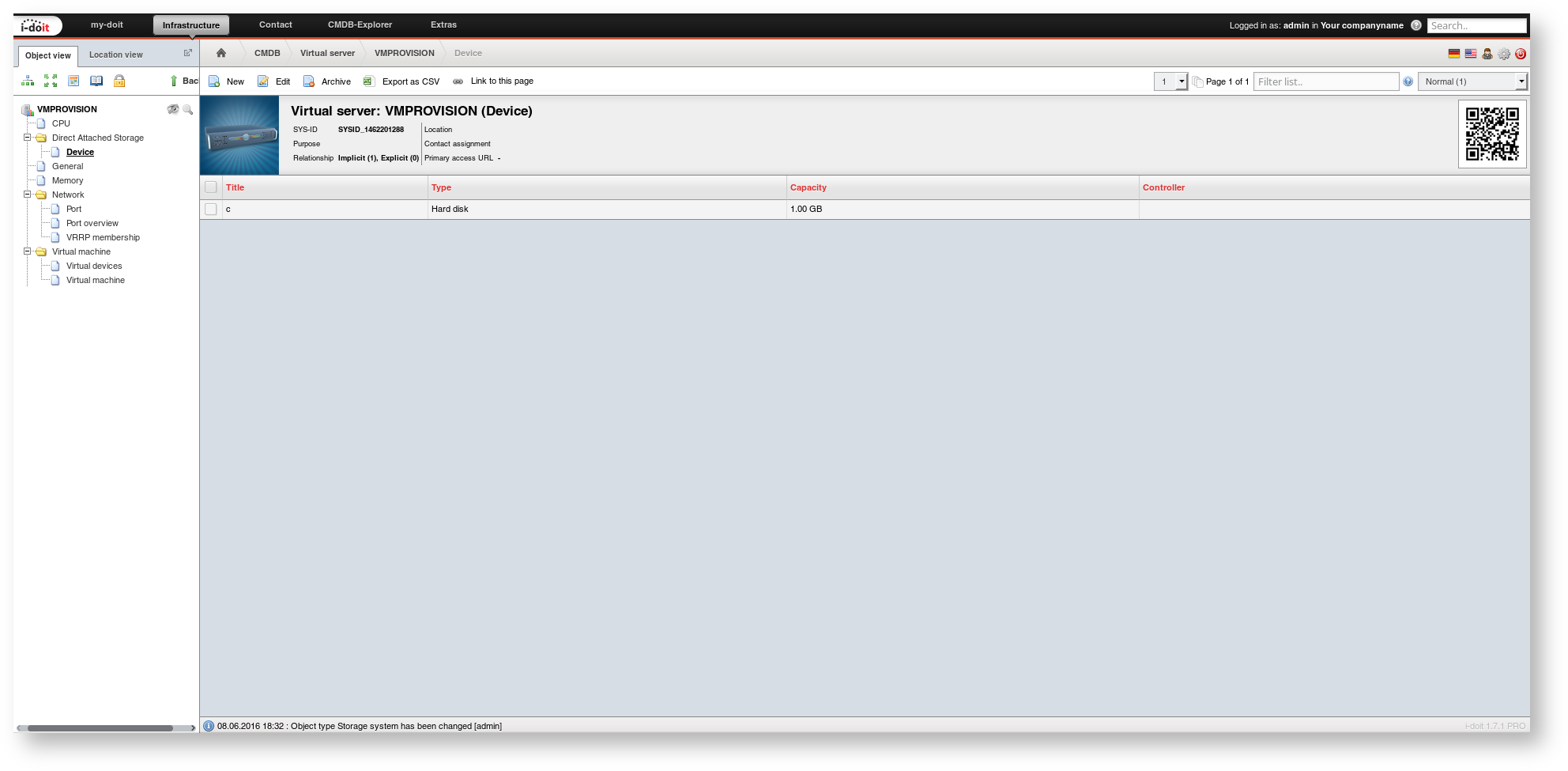
The required disk space is specified in the Local Mass Storage > Device category.
Local Mass Storage > Device

Which cluster and which ESX host the VM should run on is documented in the Virtual Machine category.
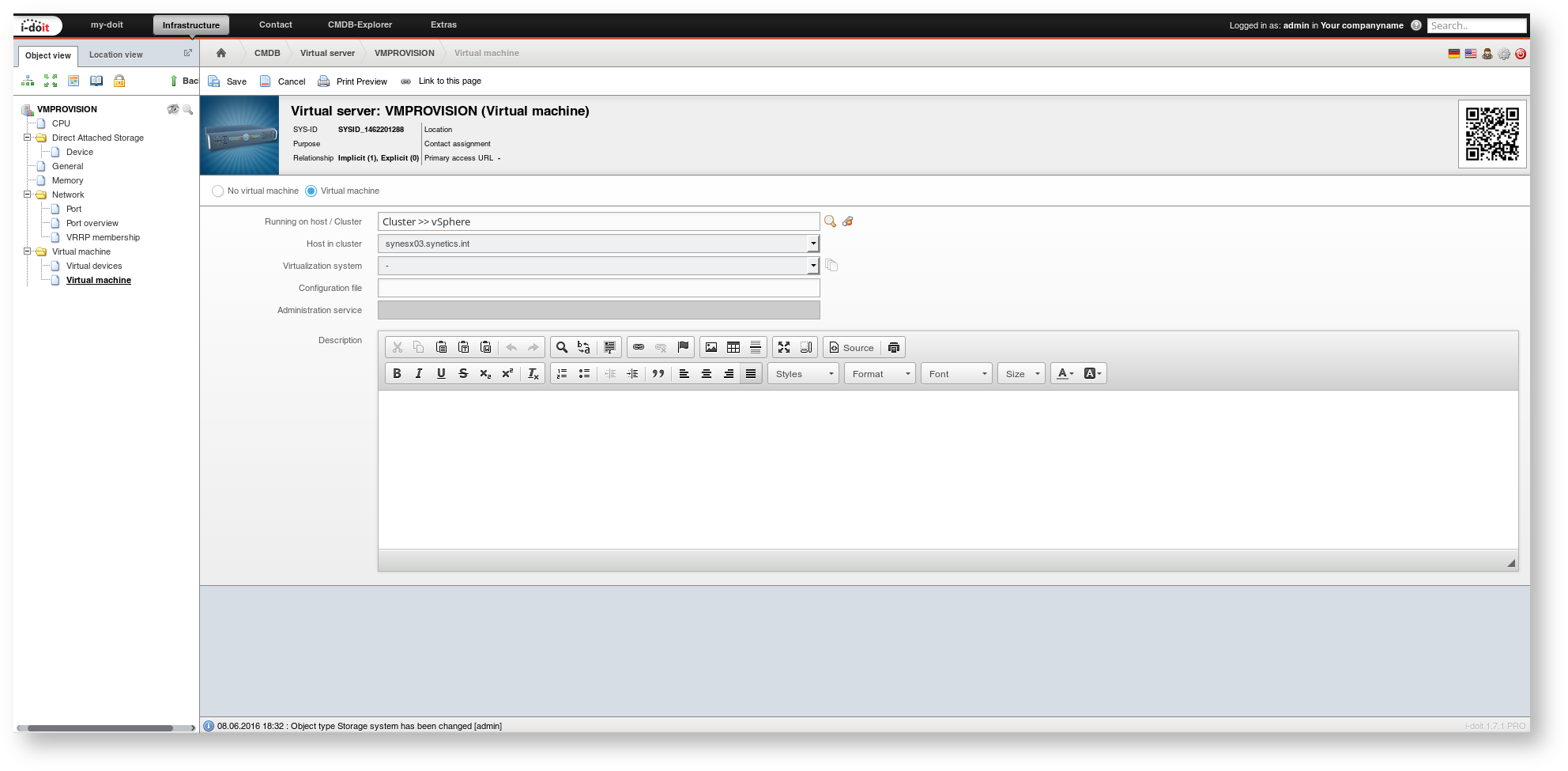
Virtual machine

The assignment of storage and network is stored in the Virtual Machine > Virtual Devices category. The screenshot shows which attributes should be filled in.
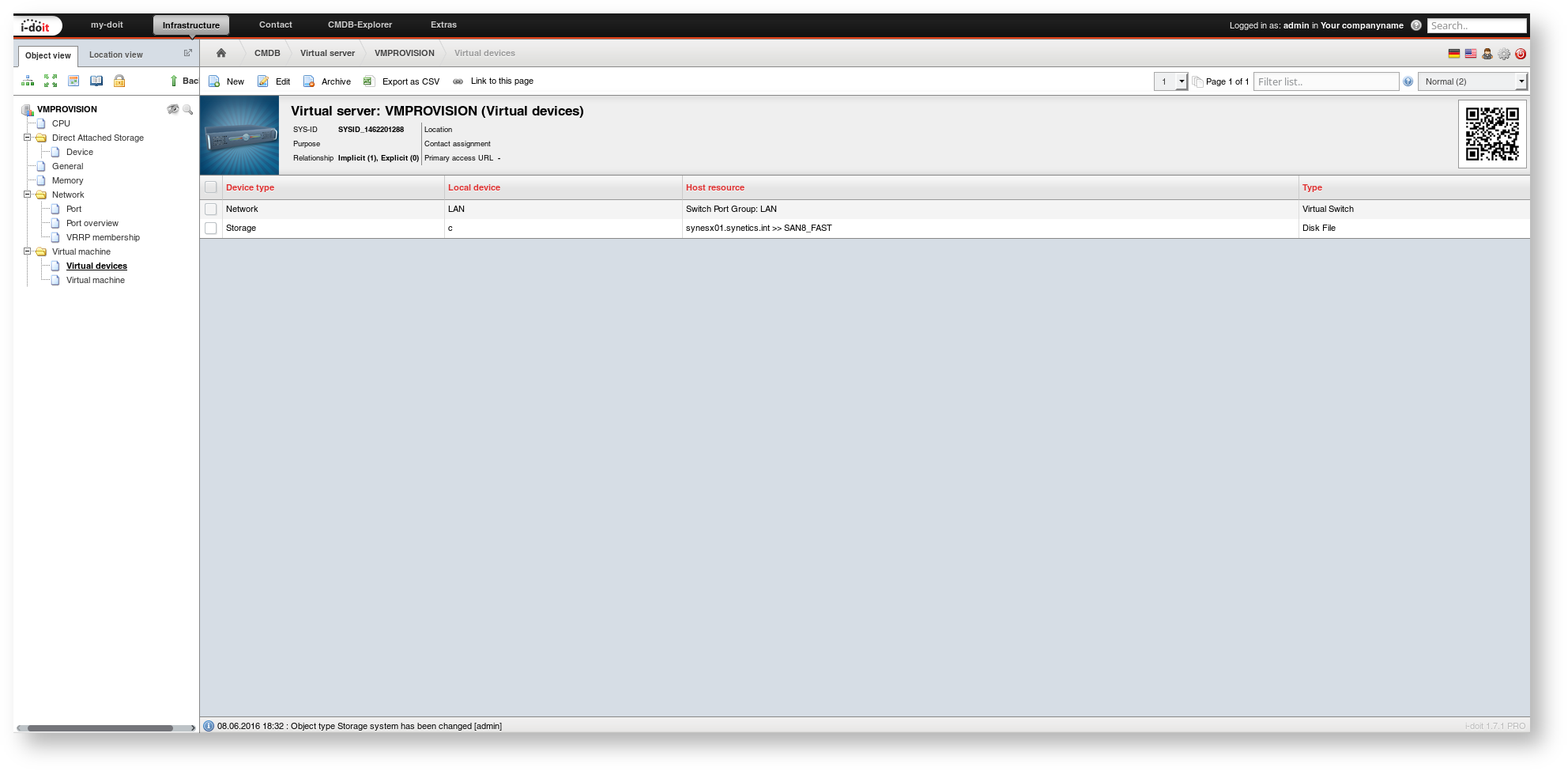
Virtual Machine > Virtual Devices

The VM configuration is now sufficiently documented.

Template

To document and thus provision virtual machines more quickly, a template is suitable. A template is created for each preconfigured VM, and new objects are created from it.

Automatically Provisioning the VM#

Now we come to the final step: provisioning. There is not much left to do. In the General category, the CMDB status is set to to be provisioned. When the change is saved, the script described above starts reading the configuration data from i-doit and passing it to vSphere. This may cause the save to take a bit longer because it waits for the result.

General

If the provisioning was successful, the CMDB status automatically changes to provisioned. The VM has been created and is running. Done!

Provisioned

The communication between i-doit and vSphere is displayed under Administration > Add-ons > Events > History (Log).