LDAPS Debian Configuration
Please create a complete backup before making any changes to an interface/import. If the result is not satisfactory, the backup can then be restored
This guide shows you how to set up an encrypted LDAPS or STARTTLS connection between your i-doit server (Debian) and Active Directory. To do this, you export the certificate from the LDAP server and add it to the certificate store of your i-doit server.
Step 1: Export Certificate on the LDAP Server#
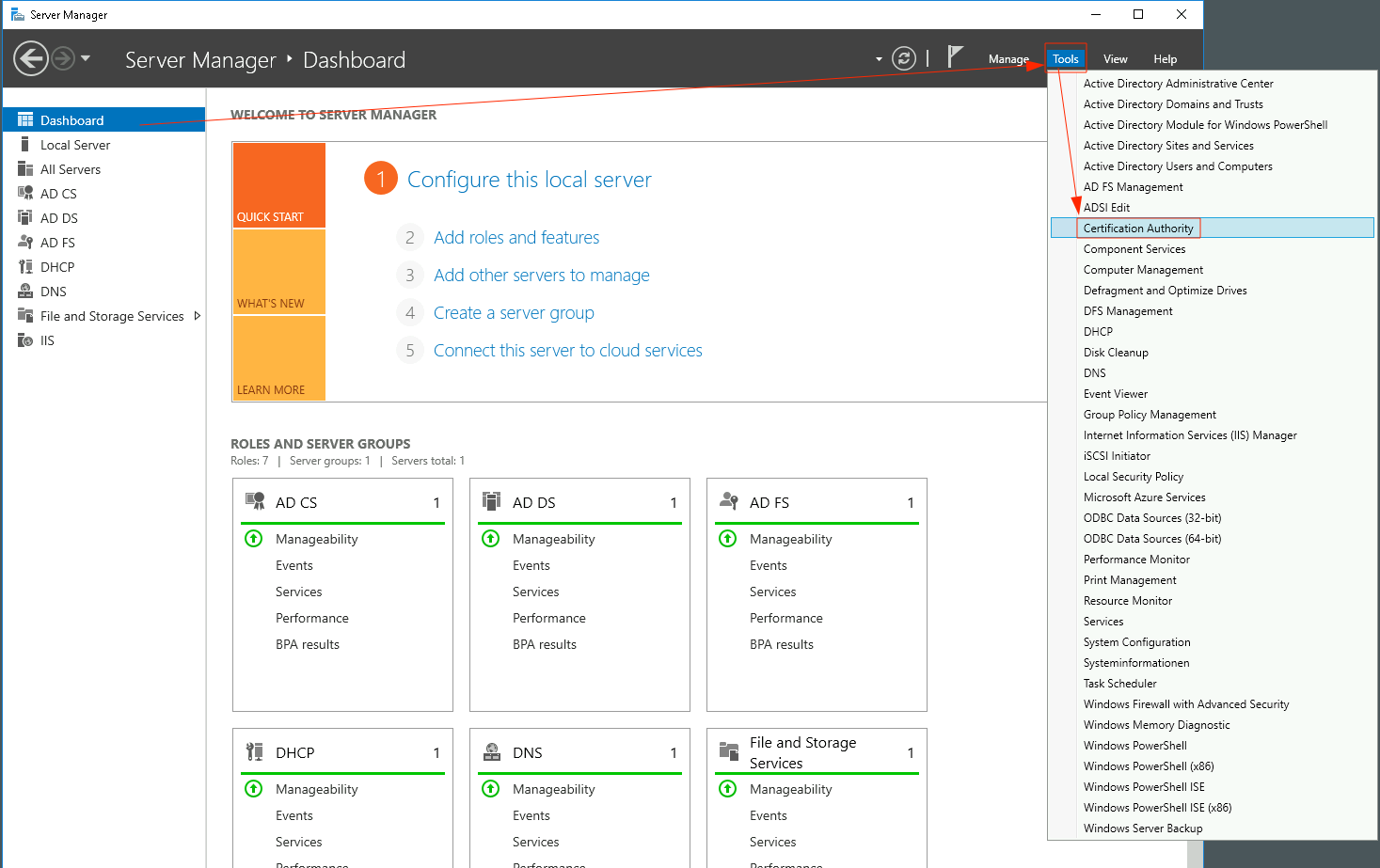
Log in to the LDAP server, which typically also contains the certificate authority. Open the corresponding MMC snap-in or select the Certificate Authority option in Server Manager.
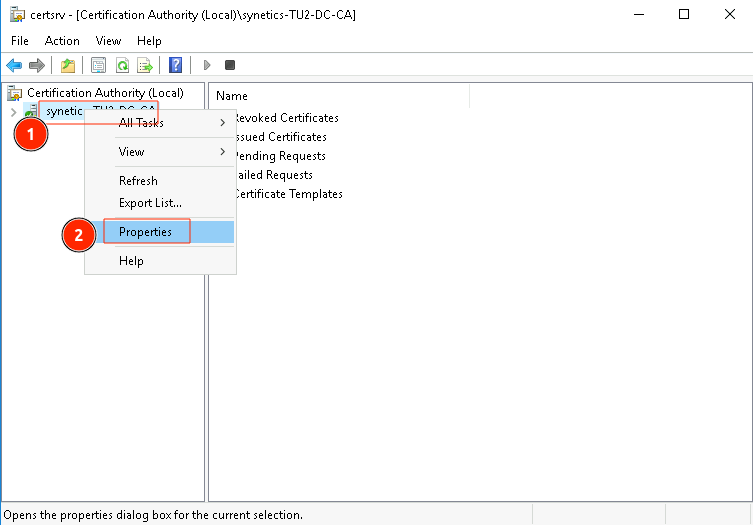
Select the properties of the certificate authority.
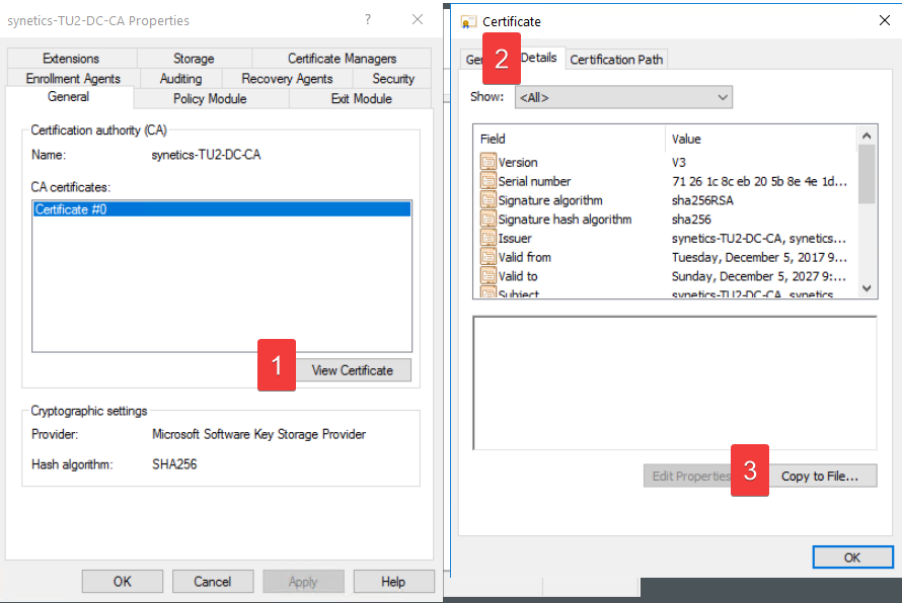
Display the certificate (1), select Details (2), and then copy it to a file (3).
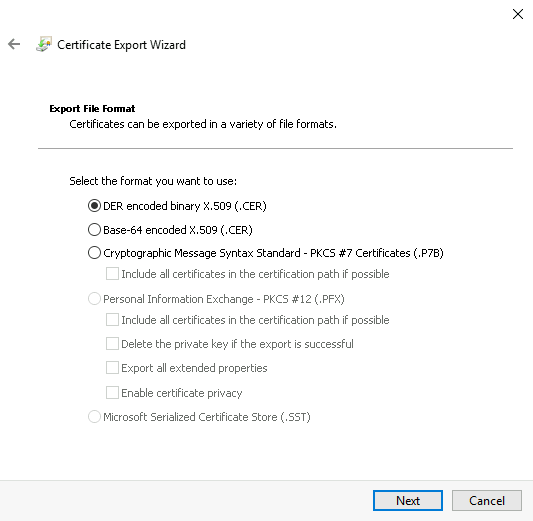
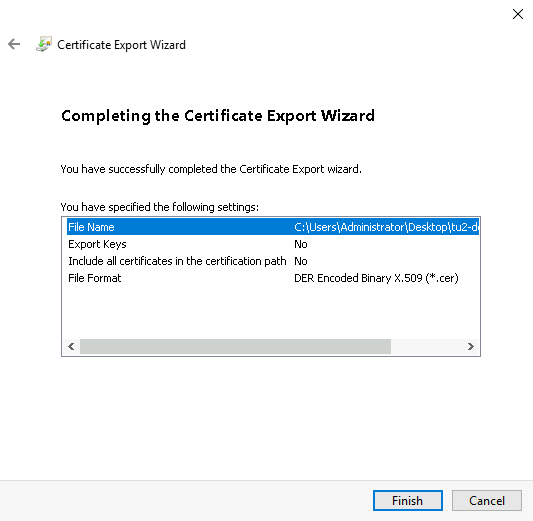
Keep the DER format selected.
Choose a file name and directory.
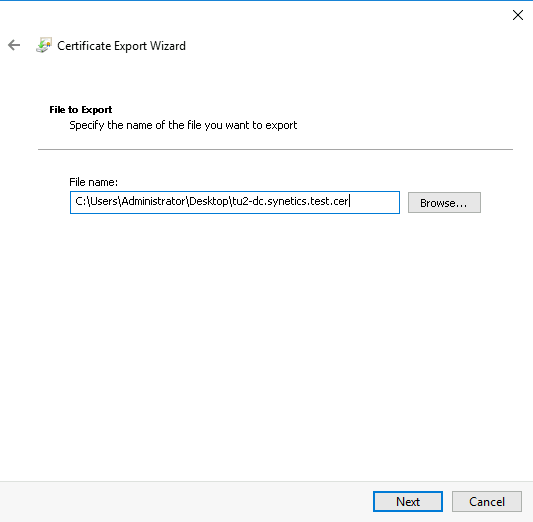
Complete the export wizard.
Step 2: Set Up Certificate on the i-doit Server#
Copy the exported certificate to your i-doit system (in the example to /tmp/). Then install openssl if not already present:
1 | |
Convert the certificate to PEM format:
1 2 | |
Finally, update the certificate store and restart Apache:
1 2 | |
The output file must have the .crt file extension, otherwise it will not be considered by the update-ca-certificates command. If correctly adopted, the certificate must be visible under /etc/ssl/certs/.